Job change monitoring
Monitor every Target, Lead, and Contact in a SugarAI Target List for job title and company changes. When a change is detected, the record is updated automatically and your team is alerted.
Written By Kevin Lawrie
Last updated 2 months ago
Why job changes matter
The window to act on a job change is short. A champion who moves to a new company is likely in the market. A closed-lost prospect who gains budget authority at a new role is a warm re-engagement. A champion who leaves a current client puts that account at risk (churn).
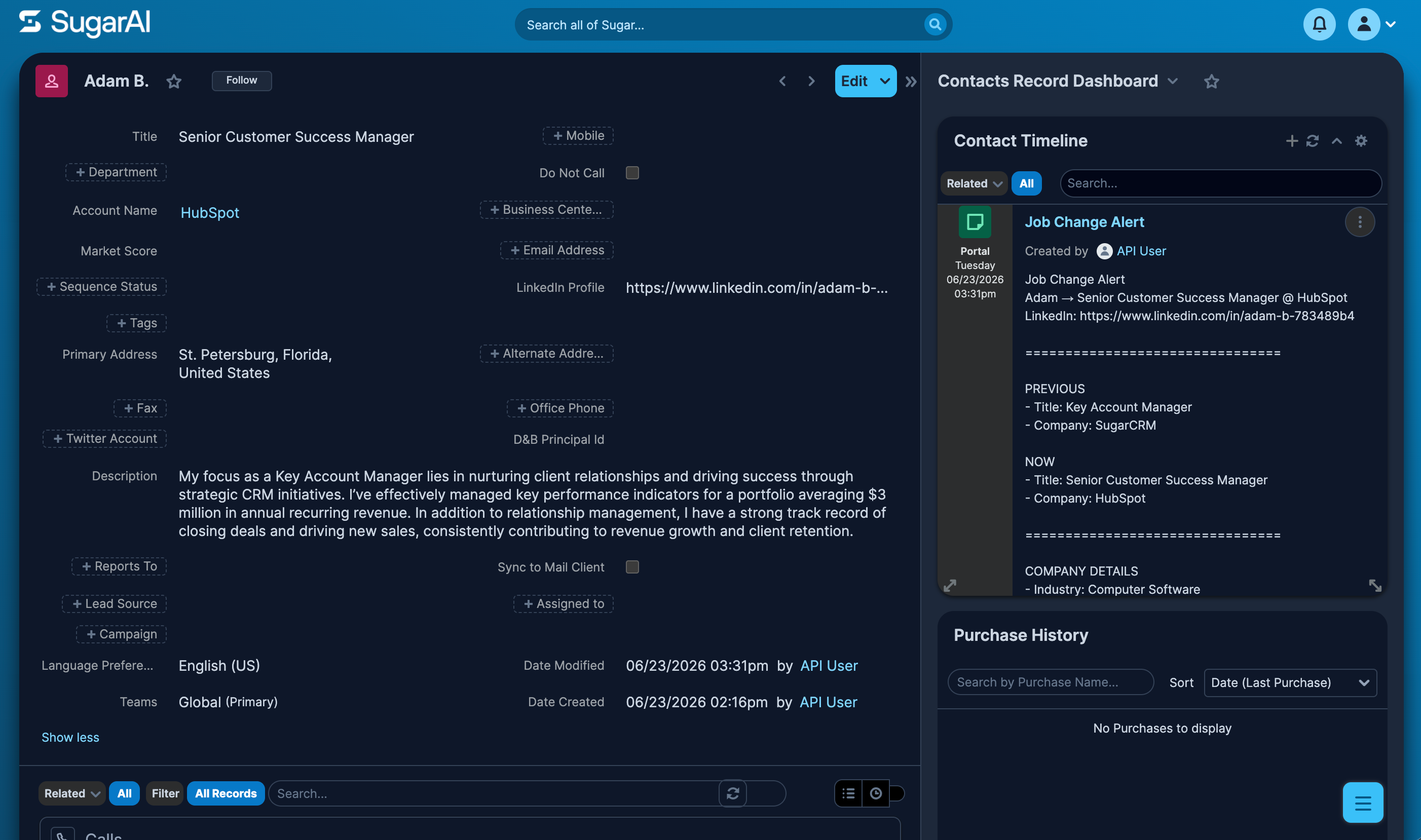
Daily monitoring means you know before the trail goes cold.
Prerequisites
SugarAI connected
At least one LinkedIn match field configured in Matching Settings
A Target List in SugarAI containing the records you want to monitor
Setting up job change monitoring
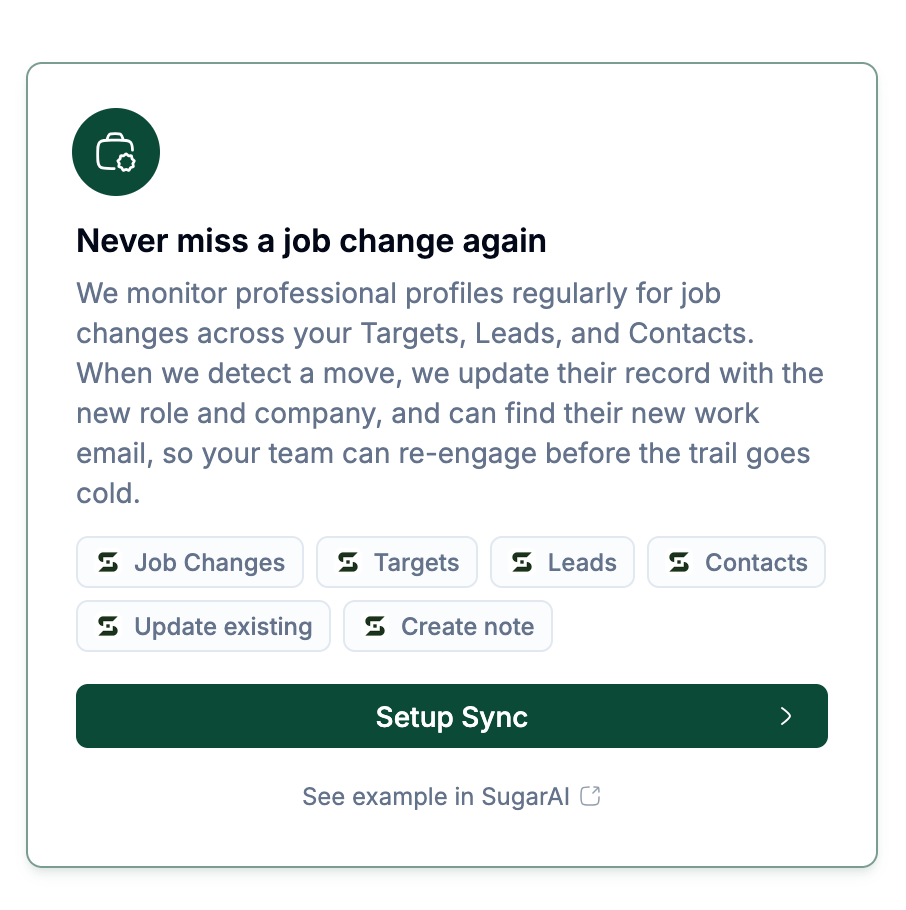
Go to Integrations then SugarAI then the Setup Sync tab.
Select Never miss a job change again.
Click Setup Sync.
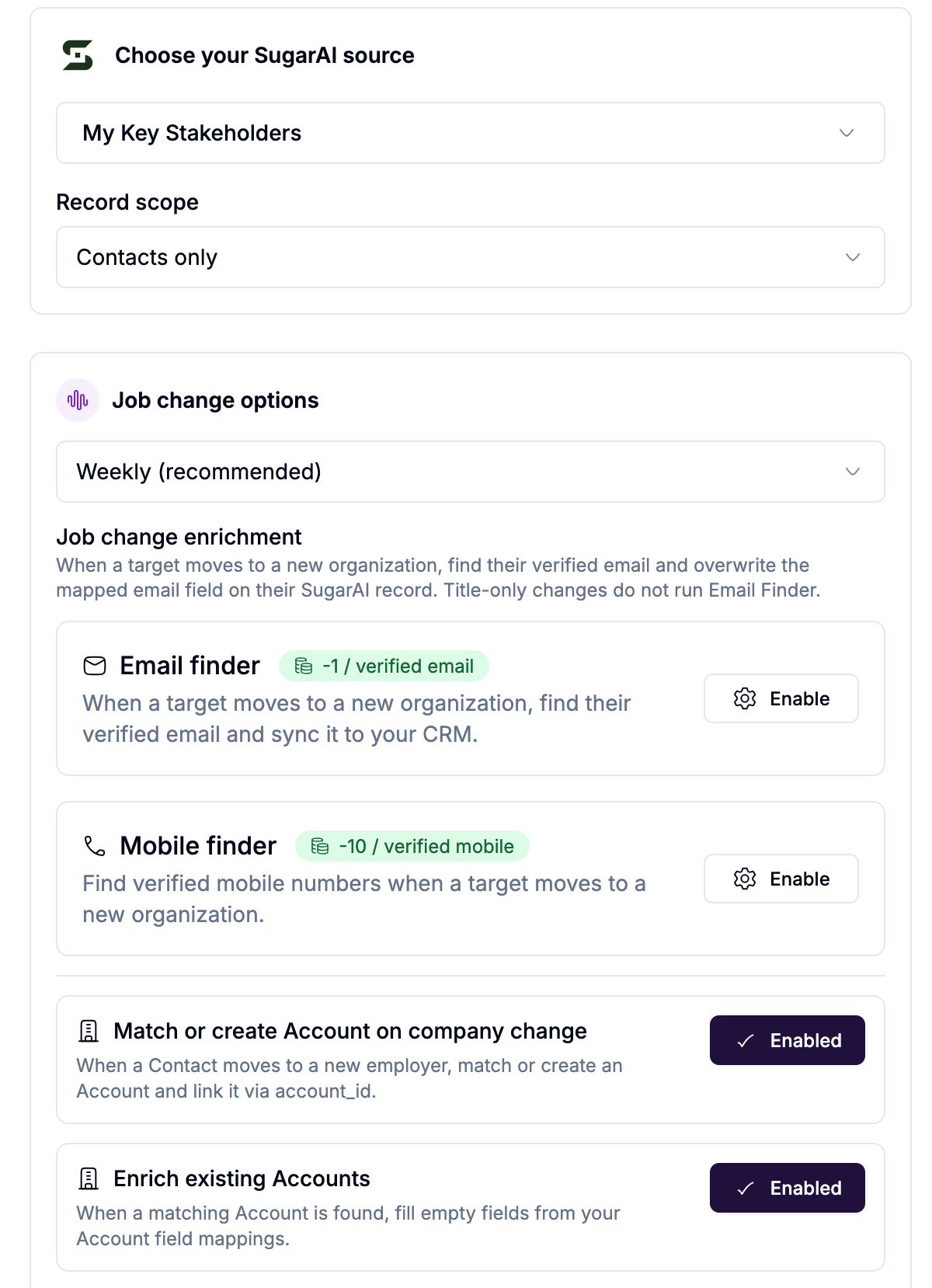
Choose your Target List and record scope.
Configure the job change options below.
Click Create sync.
Job change options
Scan frequency
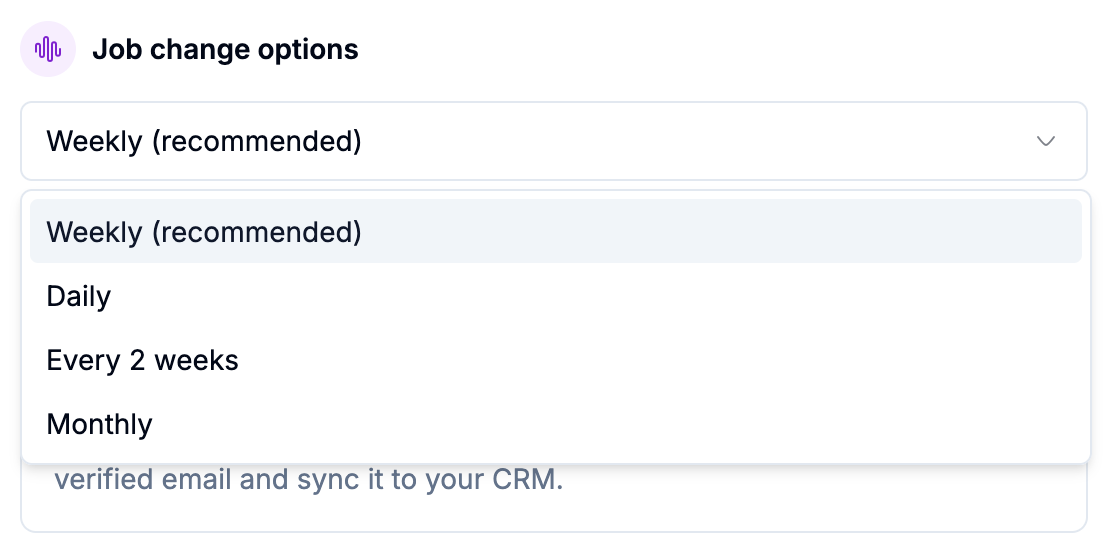
How often getsignals checks for job changes on monitored profiles:
Email Finder and Mobile finder on company change
When enabled, if a contact moves to a new company getsignals automatically finds their verified email at the new organisation and updates the mapped email field on their SugarAI record.
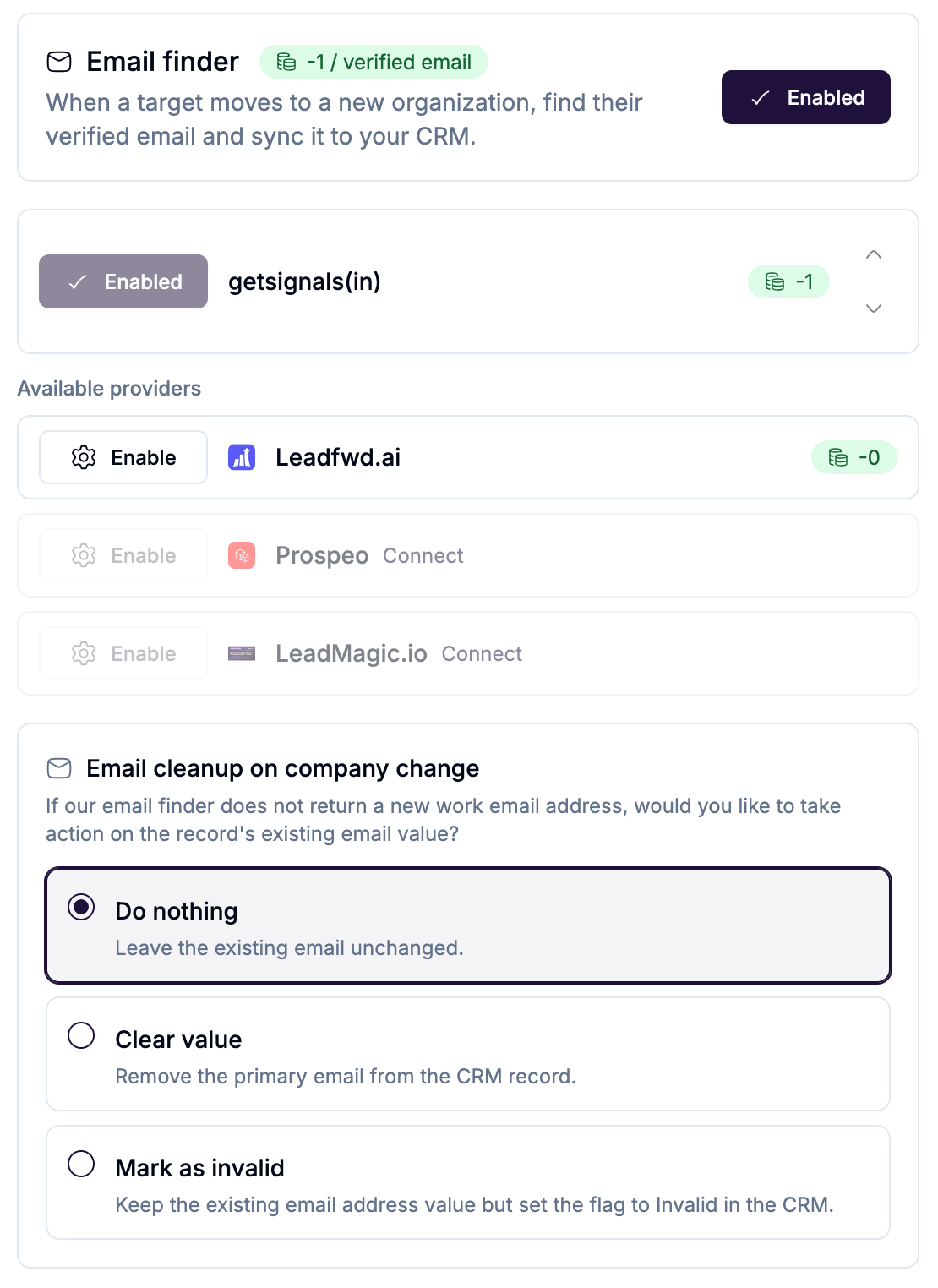
Cost: 1 credit per verified email found. No charge if no email is found.
This only runs on company changes, not title-only changes.
Account matching on company change (Contacts scope)
When a Contact changes company, getsignals can match an existing SugarAI Account by domain or company name, or create a new Account if none is found. The Contact is then linked to that Account via the account relationship.
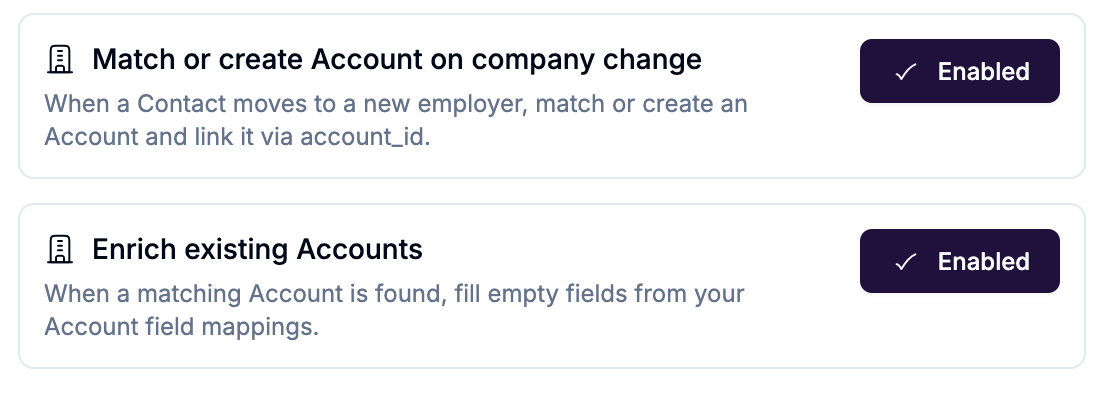
Toggle Match or create Account on company change to enable this.
Toggle Enrich existing Accounts to fill empty Account fields from your Account field mappings when a matching Account is found.
Notifications
Configure how your team is alerted when a job change is detected:
Slack: select a channel to receive instant alerts
Email: enter an address to receive notifications
Alerts include the person's name, previous role and company, new role and company, and a link to their SugarAI record.
What gets updated in SugarAI
When a job change is detected:
The record's job title and company fields are updated automatically
A note is written to the record with the previous and new role
Slack and email alerts fire to your team
If Email Finder is enabled: the new verified email is written to the record
If Account matching is enabled: the record is linked to the matched or newly created Account