SugarAI integration overview
getsignals connects to SugarAI to create a closed loop between LinkedIn activity and your CRM. Social engagement lands on record timelines automatically, job changes trigger alerts and record updates, and everyone engaging with your content can be pushed into SugarAI as a Target, Lead, or Contact.
Written By Kevin Lawrie
Last updated 2 months ago
Create context-aware CRM
The SugarAI integration is built around two distinct signal pathways, both designed to give your team more context around leads and customers.
Intelligence Sync
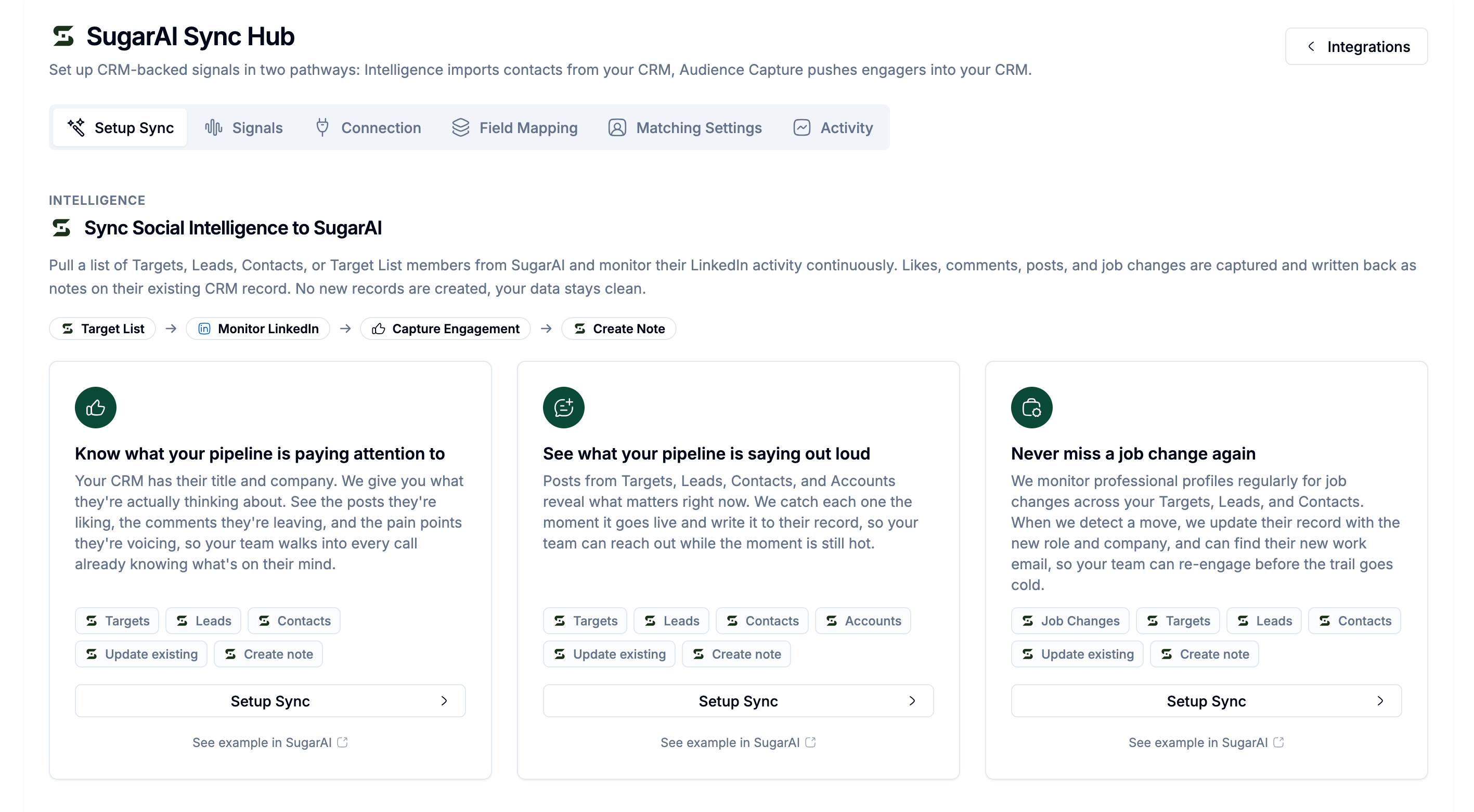
Start with your existing SugarAI records. Select a Target List and we monitor every person on it for LinkedIn activity: new posts, likes, comments, and job changes. Every signal is written back to their existing SugarAI record as a note automatically. No new records are created. Your data stays clean.
Use this when you want to know what your pipeline is thinking about, saying publicly, and doing on LinkedIn, without leaving SugarAI.
Audience Capture
Start with LinkedIn activity. Monitor your brand posts, competitor pages, or any post URL and capture every person who engages. For each engager we check SugarAI first. If they exist, we log the engagement as a note on their record. If they don't, we create a new Target, Lead, or Contact. We enrich them with 65+ data points, verified email, and mobile, ready for outreach.
Use this to turn social engagement into pipeline, automatically.
The missing context in your CRM
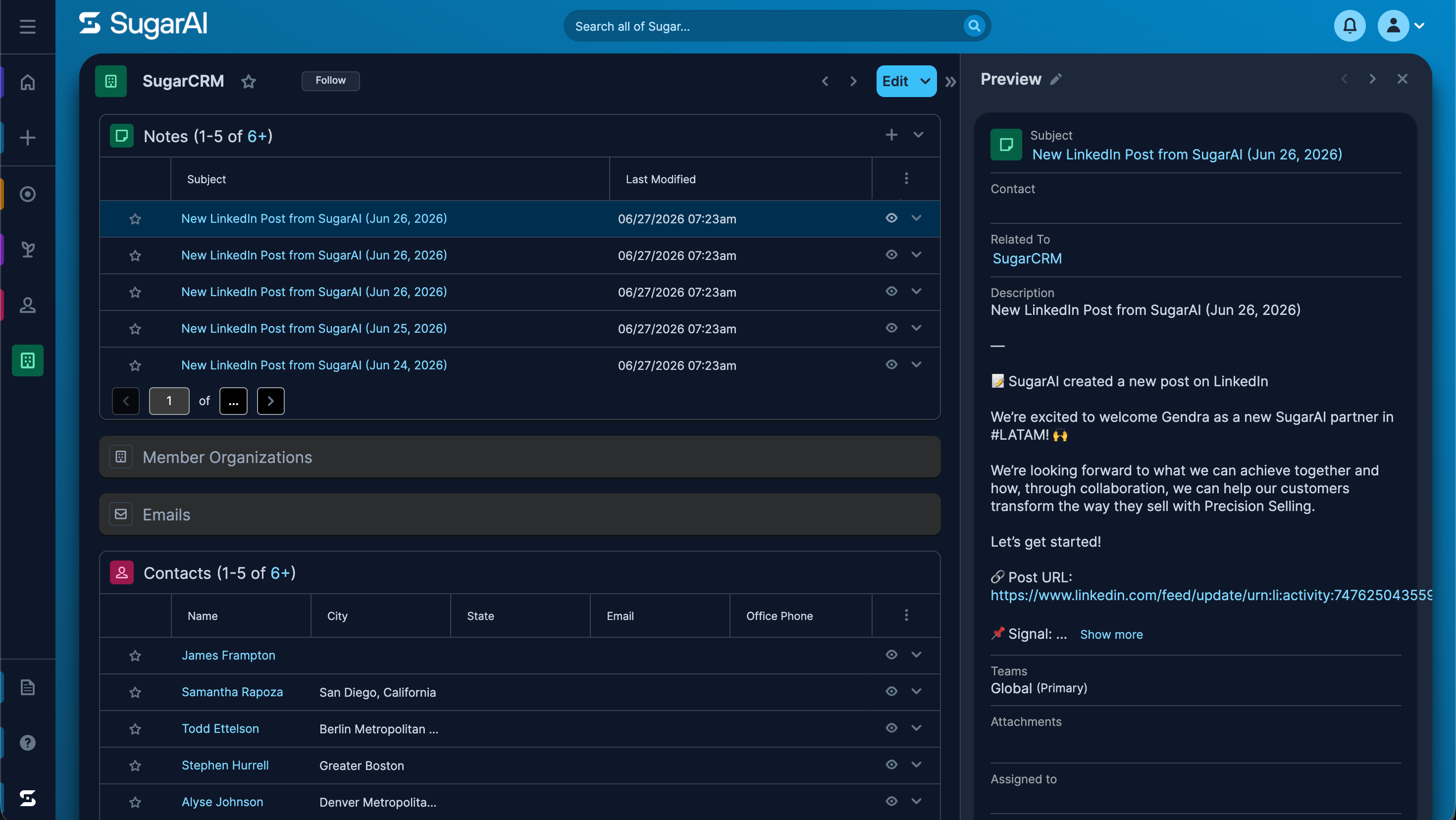
Your CRM holds profile data, deal history, and a log of interactions your team has had directly with prospects and customers. What it has never had is what those people are doing and saying externally, in the conversations they are having with the world outside your relationship with them.
Most reps try to fill this gap manually. Before a call they hop onto their professional social network, scroll through a lead's recent activity, maybe jot down a note. That intelligence stays in their head or their personal feed. It never makes it into SugarAI. The next rep, the CS manager, or the renewal owner starts from scratch.
getsignals changes that. Every signal captured from LinkedIn lands automatically on the relevant SugarAI record as a note. The context lives inside the CRM, ready when anyone on the team needs it, without any manual work.
Who benefits and how
Sales teams
Reps walk into calls with context they could not have found without spending an hour scrolling. A prospect who just liked three posts about a problem your product solves is telling you something before they tell you directly. A prospect who commented on a competitor's demo is showing their hand. Both signals are in SugarAI before the call starts.
Beyond call prep, Intelligence Sync gives you early warning. When an open opportunity starts engaging with content about a challenge or pain point you have not yet discussed, that is a new angle of value worth raising. You see it before they bring it up, which means you can get ahead of it instead of reacting to it.
Customer Success
CS teams spend significant time trying to understand the health of an account between check-in calls. Intelligence Sync surfaces what customers are saying publicly before they say it to you. A customer posting about a workflow problem your product should be solving is a signal worth acting on before the next QBR. A champion engaging with competitor content before a renewal is a signal worth acting on immediately.
Getting an early hint of a new problem or a shift in sentiment before the customer raises it with you is the difference between being proactive and being reactive.
Marketing
Audience Capture turns social engagement into a measurable pipeline source. Everyone who engages with your brand posts, founder content, or thought leader discussions in your category becomes an enriched SugarAI record with verified email and company data, ready for nurture. People who engage publicly with your content are warmer than any list you could build manually.
All SugarAI configuration lives in the Sync Hub at Integrations in the left sidebar. The Sync Hub has six tab options:
Recommended setup order
Work through this in order. Each step unlocks the next.
Connection: connect your SugarAI workspace
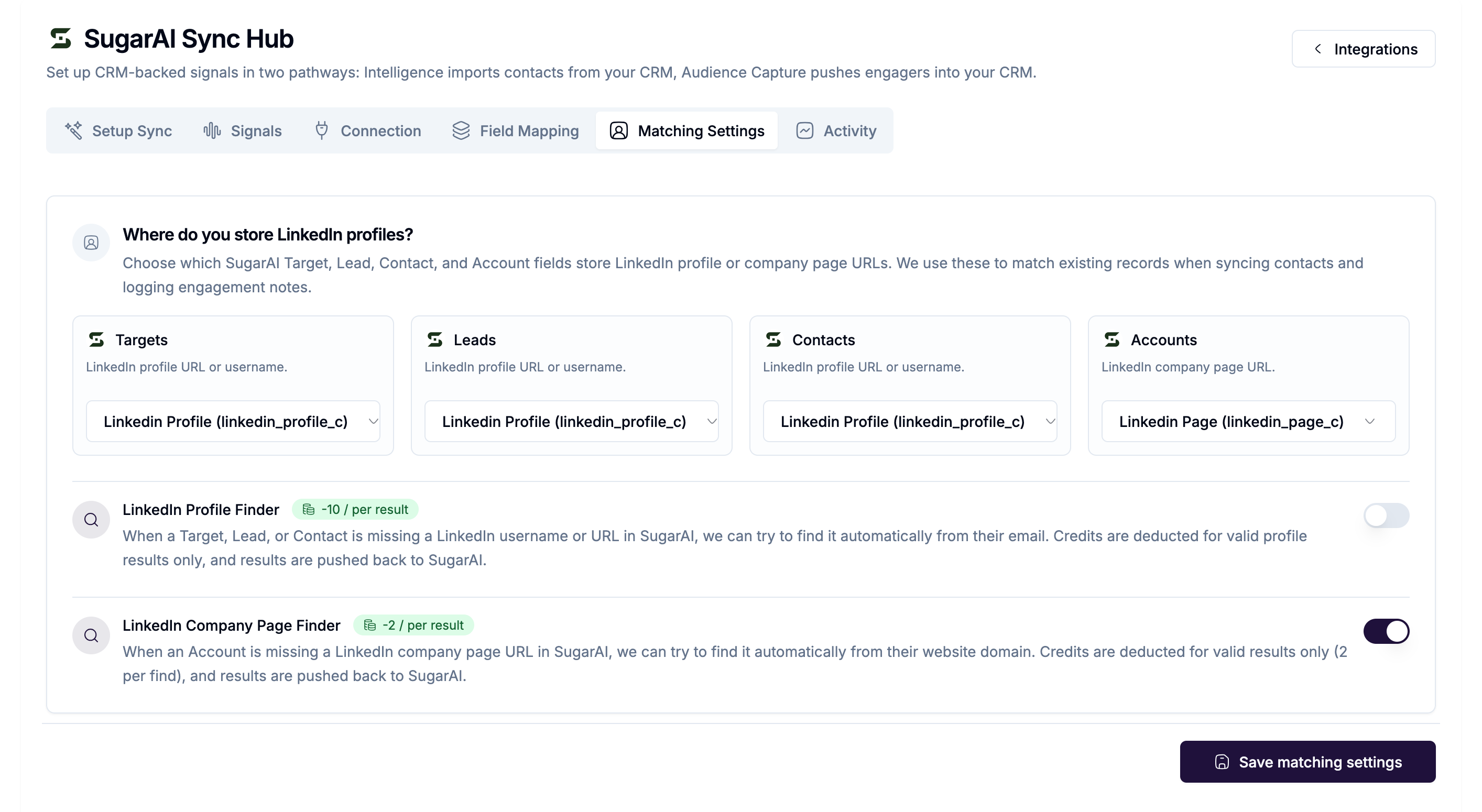
Matching Settings: configure at least one LinkedIn match field for Targets, Leads, or Contacts. For Intelligence Sync we require the target records LinkedIn username or profile URL (or Page for Account monitoring). If you don’t have the data for all records, you can enable our Profile Finder or Page Finder. If we are able to find a result, we will also write it back to your CRM record.
Field Mapping: map enriched fields to SugarAI module fields (recommended before any push or create flows)
Setup Sync: create your first Intelligence or Audience Capture sync
Activity: monitor what's running and what's been written back
Prerequisites
Before connecting, a SugarAI admin needs to register the API platform. See [Connecting your SugarAI workspace] for the exact steps.
SugarAI module types
Unlike other CRM integrations, SugarAI uses four distinct module types. Understanding which to use matters when configuring syncs and field mapping.
When creating records from Audience Capture, you choose whether engagers become Targets, Leads, or Contacts. Accounts are matched or created separately based on company data.