Let AI filter social signals for relevance
AI relevance filtering stops irrelevant social activity from cluttering your SugarAI records. Instead of writing every like and comment as a note, AI evaluates each one first and only passes the relevant signals through to your CRM as a note.
Written By Kevin Lawrie
Last updated 2 months ago
The problem it solves
Without filtering, every piece of social activity (Intelligence sync) captured by a Signal gets written to SugarAI. A contact who likes 20 posts in a week generates 20 notes. Most of them are noise. Over time this makes CRM records hard to read and reduces trust in the data.
AI relevance filtering adds a gate before the note is written. You describe what relevant looks like and the AI evaluates each post or comment against that criteria. Only relevant activity becomes a note.
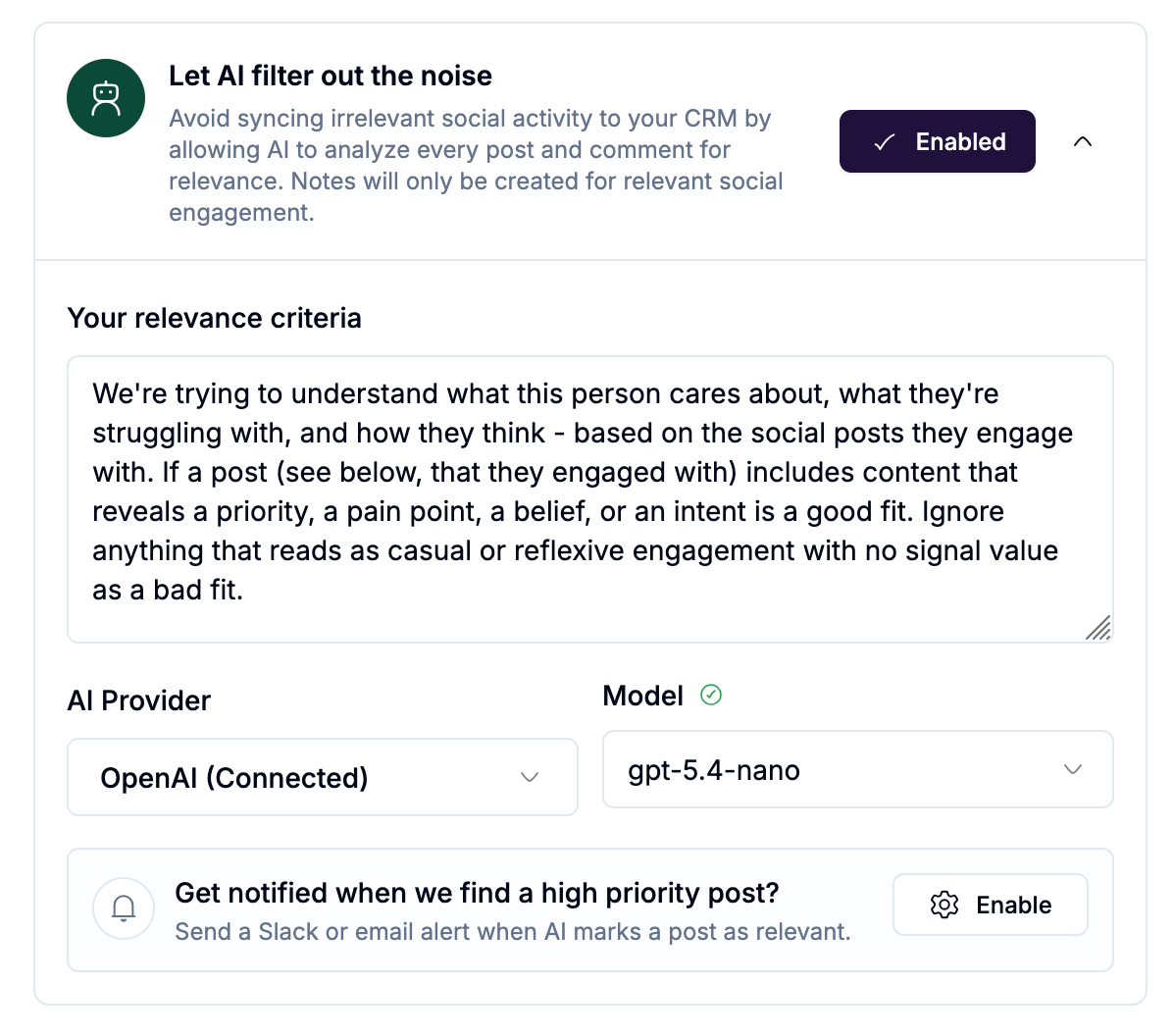
Prerequisites
AI relevance filtering runs AI Agent jobs to evaluate each post. Before enabling it you need a connected LLM provider in getsignals.
Go to Integrations in the left sidebar.
Filter by AI & ML.
Connect at least one provider (OpenAI, Anthropic, Gemini, xAI, or Perplexity) by entering your API key.
You bring your own API key (BYOK). LLM costs go directly to your provider. getsignals charges 0.1 credits per AI Agent job regardless of which provider or model you use.
See [Connecting an LLM provider] for step-by-step setup.
Where to find it
AI relevance filtering is available on Intelligence Sync rules that monitor engagement: likes and comments. It appears in the Intelligence setup drawer as a section called Let AI filter out the noise.
It is also available when creating or editing a Signal directly, on the Integrations step, for rule types that produce reaction and comment data.
Setting it up
In the Intelligence setup drawer or Signal Integrations step, find the Let AI filter out the noise section:
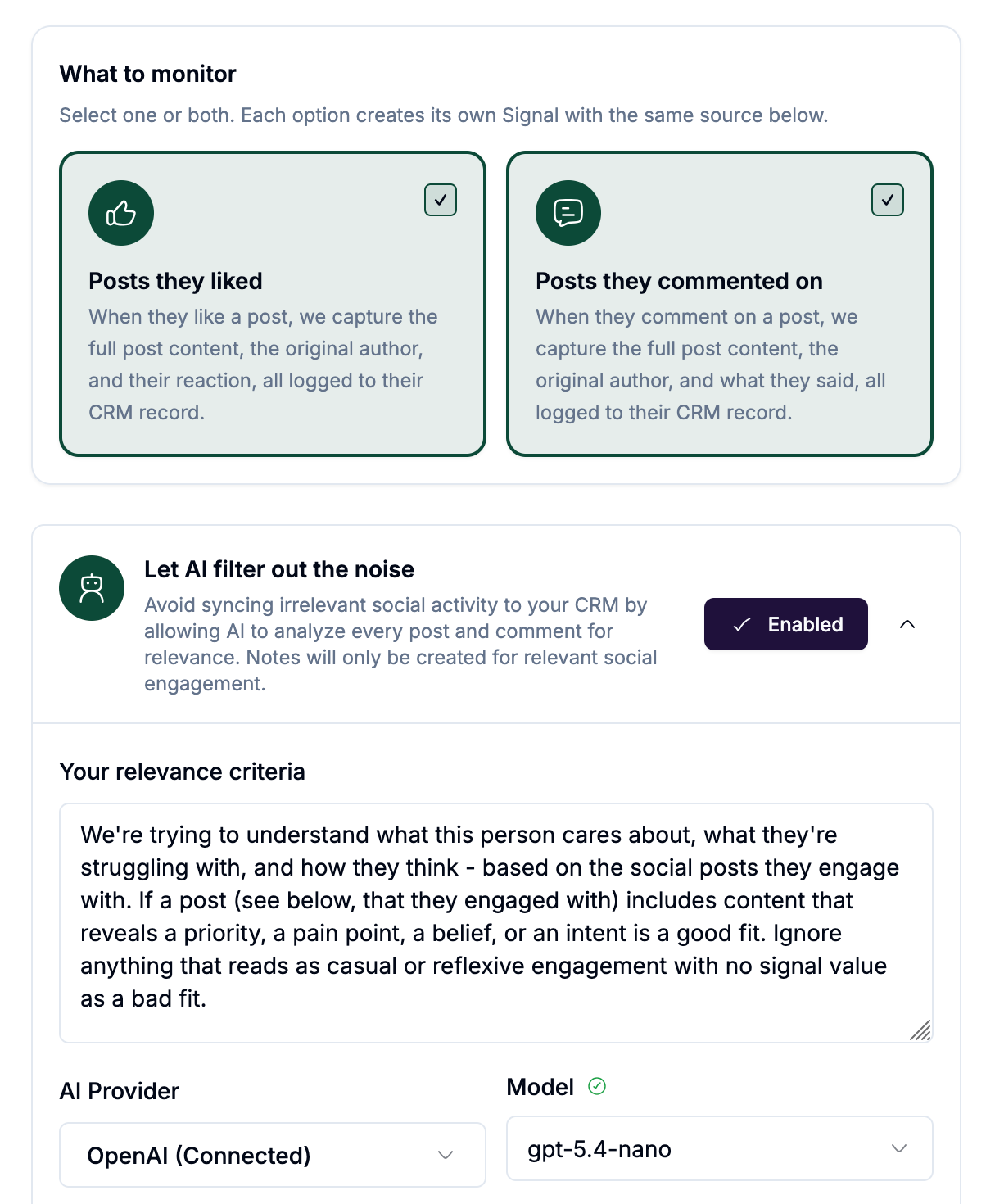
Toggle the filter on.
Enter your relevance criteria: describe in plain language what makes a post worth writing to SugarAI. For example: "The post discusses outbound sales challenges, pipeline problems, or tools for sales teams" or "The post indicates the person is evaluating new software or experiencing frustration with their current tools."
getsignals automatically appends the prompt with specific boolean instructions (return true or false) and inserts all of the relevant profile and post data for the Agent to evaluate for relevance.
Save your sync or Signal.
The AI evaluates each captured post and comment against your criteria. Only items that pass are written as notes to SugarAI.
Notifications for high priority posts
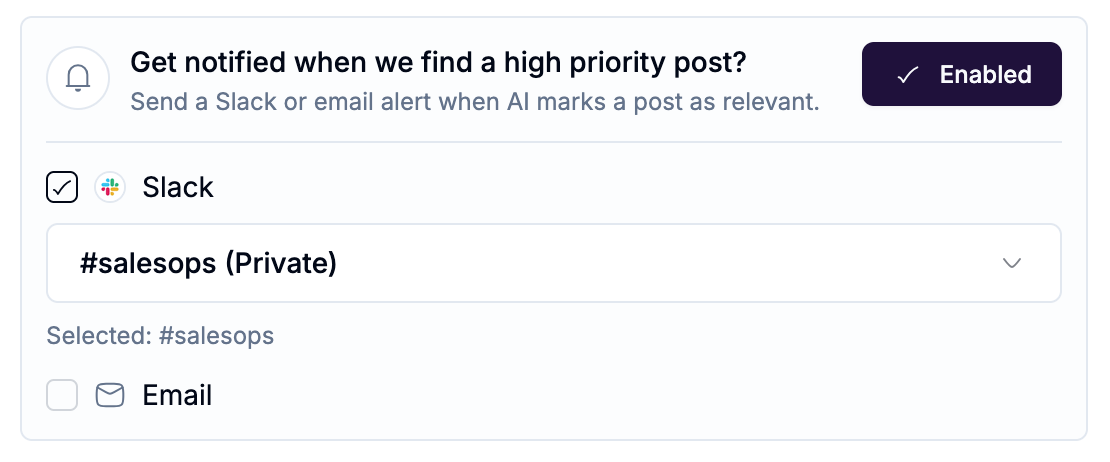
When a post is marked relevant by the AI, you can optionally alert your team immediately:
Slack: select a channel to receive an alert with the post content
Email: enter an address for email notifications. Multiple emails separated by comma.
This is useful when a contact posts something that warrants immediate outreach. You don't wait for your team to check SugarAI, the alert comes to them.