Filtering who gets enriched — job title and employee filters
The job title filter and employee filter are pre-enrichment gates. They run before any credits are spent on enrichment, meaning you only pay -2 credits for people who actually match your criteria. For high-volume Signals, these filters can reduce enrichment costs by 10x or more.
Written By Kevin Lawrie
Last updated 6 months ago
Why these filters exist
Collecting raw posts, reactions, and comments is cheap. Enriching a person into a contact record costs -2 credits. On a busy Signal, that difference adds up fast.
These filters solve that by acting as a gate before enrichment runs:
Raw engagement collected (cheap) → Does this person pass the filters? NO → Skipped. Zero enrichment credits spent. YES → Enriched as contact (-2 credits) Without filters, every reactor, commenter, or post author gets enriched regardless of whether they're relevant. With filters, you only enrich the people worth enriching.
Filter by Job Title
Available on: Capture Post Author as Contact, Capture Post Reactions, Capture Post Comments
This filter checks a person's current job title before deciding whether to enrich them.
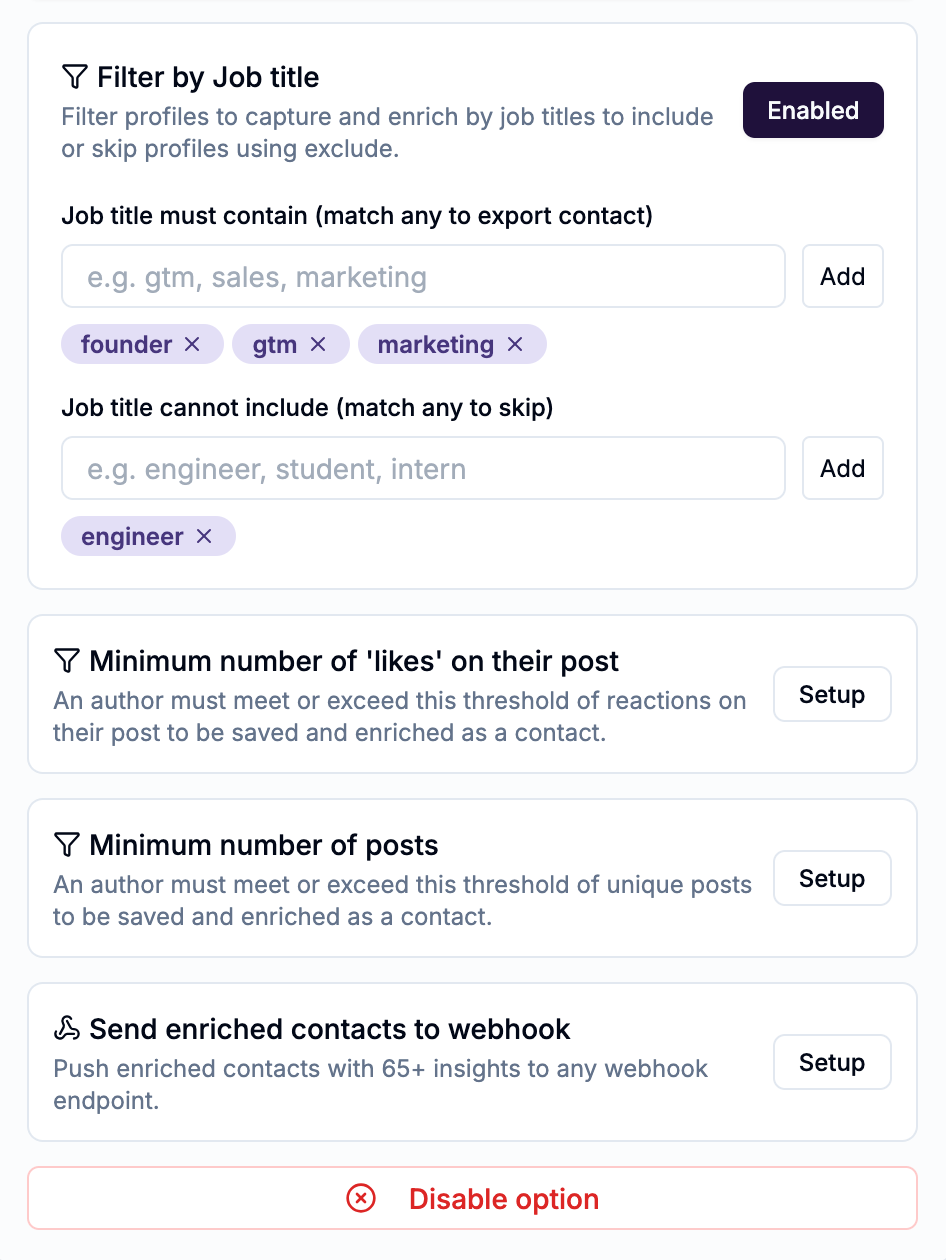
Job title must contain
Only enrich people whose job title includes at least one of your specified terms.
Enter up to 5 terms
Placeholder example: "gtm, sales, marketing"
Matching is partial — "sales" matches "Sales Manager", "VP Sales", "Head of Sales", "Sales Director", and more
At least one term must match for the person to pass
Example use case: You're running a keyword Signal to find posts about pipeline management. You only want to enrich people in sales roles. Setting "sales, revenue, gtm" as include terms means you only spend credits on Sales Managers, RevOps leaders, and GTM Directors — not developers or HR professionals who happened to use the same keyword.
Job title cannot include
Skip people whose job title includes any of your specified terms, even if they passed the include filter.
Enter up to 5 terms
Placeholder example: "engineer, student, intern"
If any term matches, the person is skipped entirely
Example use case: You want to capture sales leaders but not individual contributors. You could include "sales" and exclude "sdr, bdr, representative" to filter out entry-level roles.
💡 Tip: Include and exclude filters work together. A person must pass the include check AND fail the exclude check to be enriched. Use both to get precise targeting without a long include list. If for example you include ‘gtm’ but want to exclude ‘engineer’, if a job title of GTM Engineer was presented it would be enriched because the ‘include’ filter will win.
Filter Out Employees Automatically
Available on: Capture Post Reactions, Capture Post Comments
This filter automatically skips people who work at the same company as the post author.
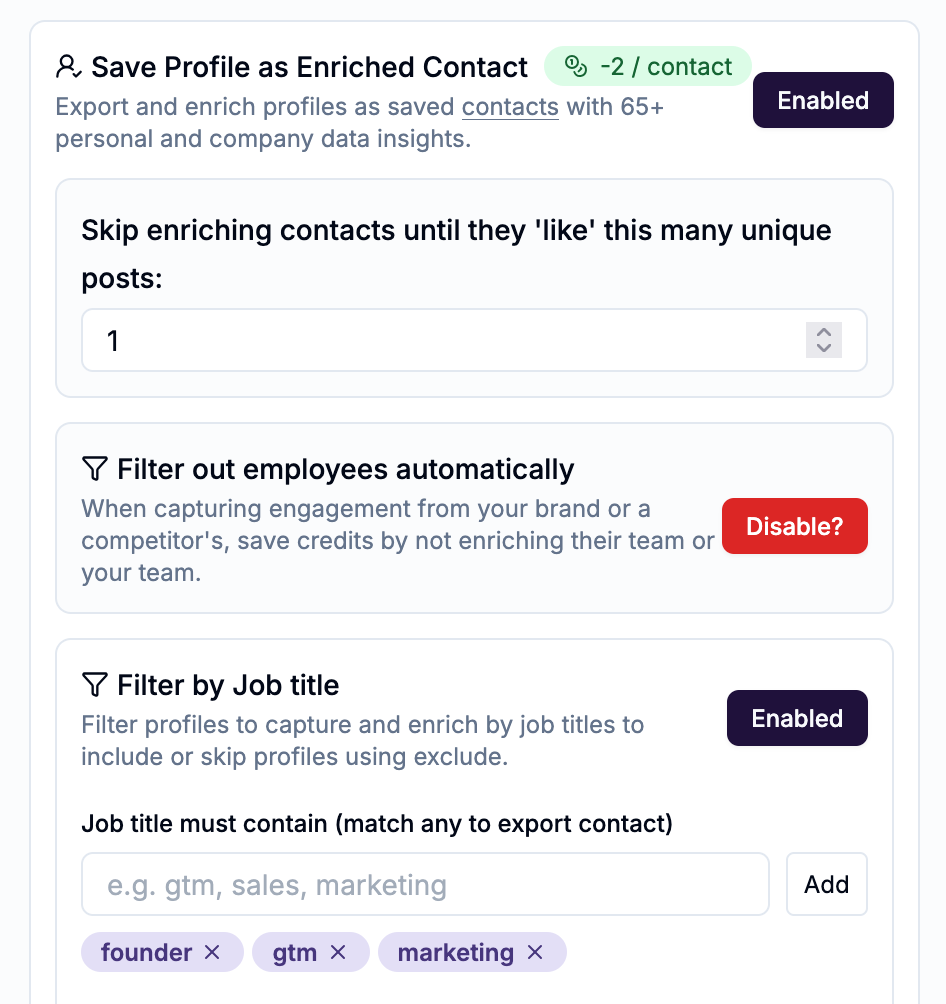
When to use it
This filter is most valuable in two scenarios:
Monitoring a competitor's content A competitor's popular post might generate reactions and comments from their own employees — people who are clearly not prospects. Without this filter, you'd spend credits enriching their team. With it, they're silently skipped.
Monitoring your own company page If you're tracking engagement on your own company's posts, your colleagues are almost certainly not leads. This filter removes them from enrichment automatically.
How it works
The filter detects the post author's company affiliation and cross-references it against each reactor's or commenter's current employer. Anyone who matches is skipped before enrichment runs. You don't need to manually list company names — it's automatic.
Combining filters for maximum efficiency
Filters stack. A person must pass every active filter to be enriched.
Example setup for a competitive intelligence Signal:
Signal type: Monitor for Posts Tagging Pages (a competitor's company page)
Capture Post Reactions enabled
Filter out employees: ON — skip the competitor's own team
Job title must contain: "vp, director, head of, chief" — only decision-makers
Job title cannot include: "intern, student, assistant"
This setup means that out of 300 reactions on a competitor's post, you might enrich 15–20 decision-makers who aren't on the competitor's team — instead of all 300.
Where to find these filters
Both filters appear inside the Manage configuration section of each capture block on the Configure step. Click Setup next to the filter name to expand and configure it.
They are disabled by default — you need to actively enable and configure them.