Using AI Agents with YouTube
YouTube generates far more signal than any team can manually review. AI Agents solve this by reading every video transcript and every comment, extracting what matters, and routing only the relevant signals to the right people. Your team acts on intelligence — not raw data.
Written By Kevin Lawrie
Last updated 6 months ago
The core idea
A YouTube Signal might surface 50 videos per week. Each video might have 50 comments. That's 2,500 data points your team cannot manually process. Without AI Agents, YouTube monitoring is just a feed.
With agents, the workflow is:
Signal captures videos and comments (raw data)
AI Agent reads each item and produces a classification or output
Conditional rules route the right signals to the right people
Your team acts — on Slack, via email, or by engaging organically on YouTube
The agent does the sorting. Your team does the engaging.
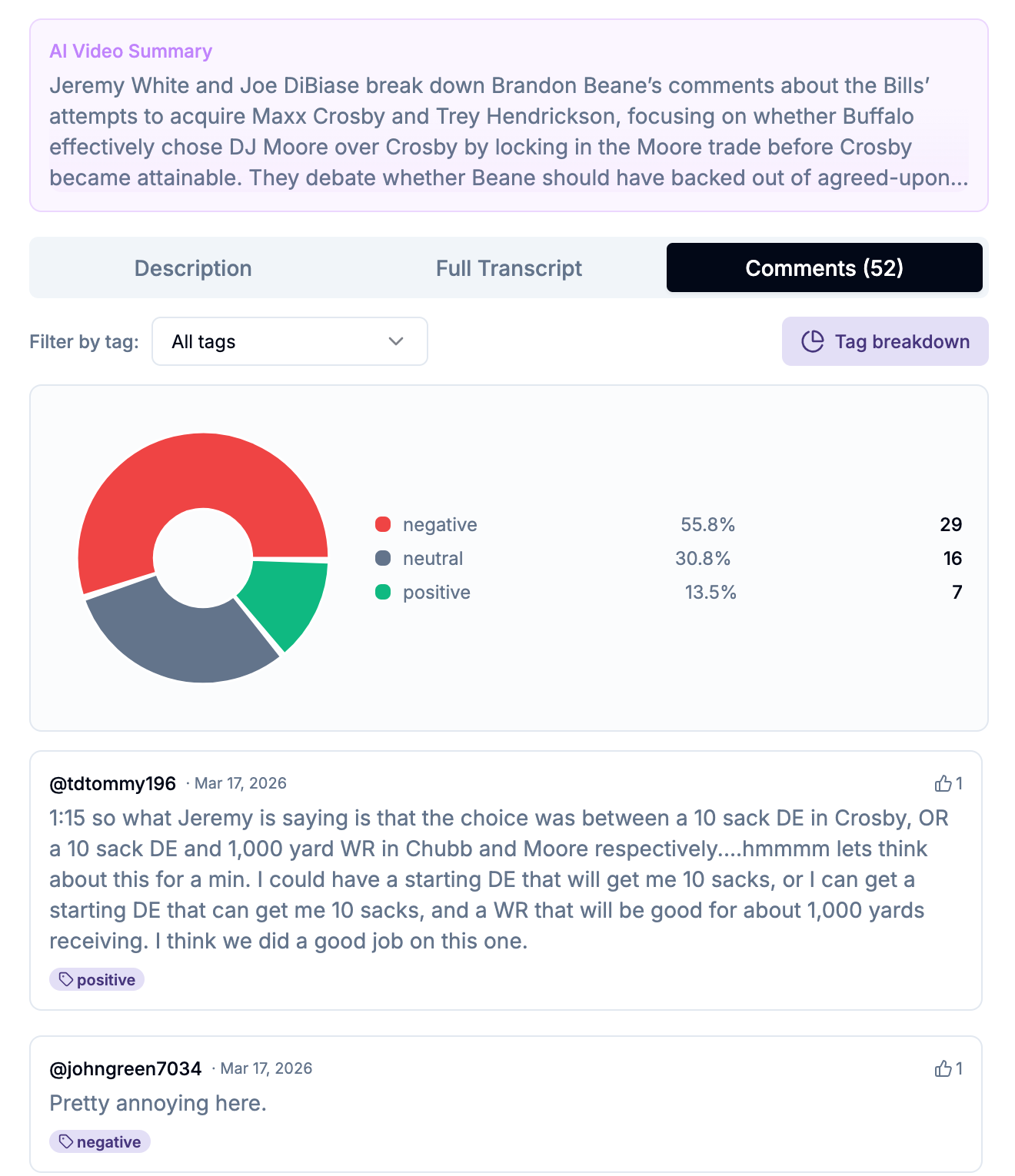
This is especially important for comment-based workflows. When your agent flags a genuine buyer question buried in 247 comments, your SDR doesn't spend an hour scrolling — they get one Slack message with the comment, context, and a link. They go to YouTube and reply as themselves, genuinely and helpfully. No bots. No automated replies. Just a real person showing up in the right conversation at the right moment.
Two agent types for YouTube
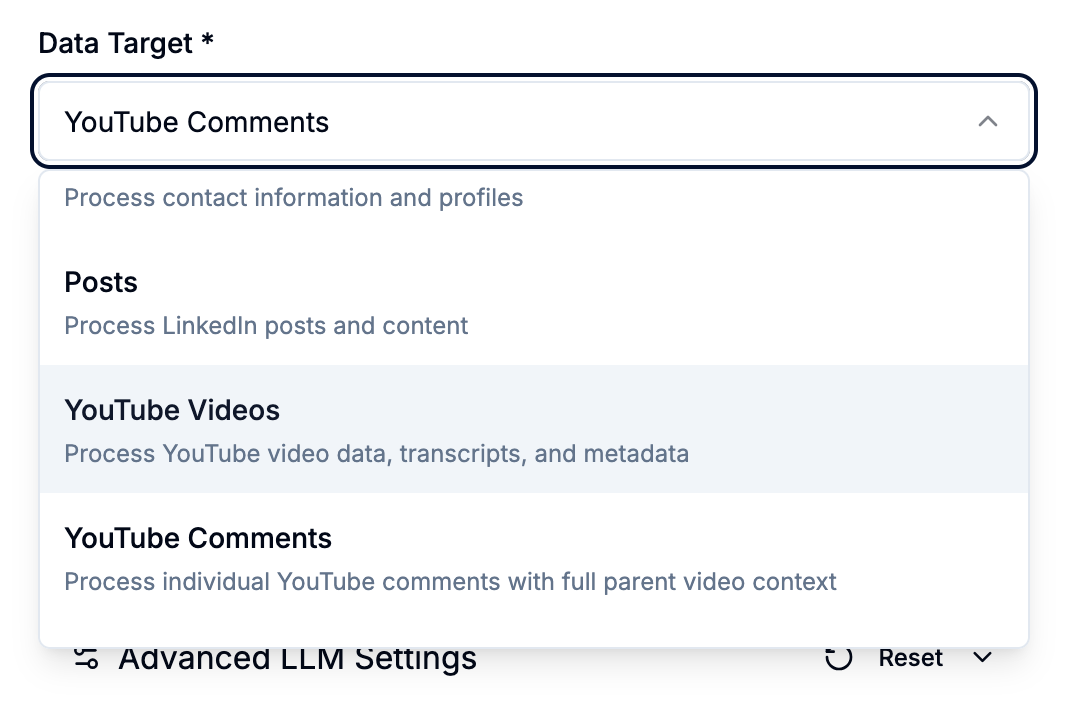
YouTube Videos agents
Process each video as a unit — title, description, transcript, channel data, engagement metrics, and optionally the full aggregated comment list via {{all_comments}}.
Best for: Transcript analysis, competitive intelligence, video summarisation, brand mention classification, content tagging.
YouTube Comments agents
Process each individual comment with full parent video context available in the prompt.
Best for: Comment classification by intent, buyer question detection, switching signal identification, routing individual comments to team members.
Five (5) YouTube AI Agent playbooks
1. Comment Classifier
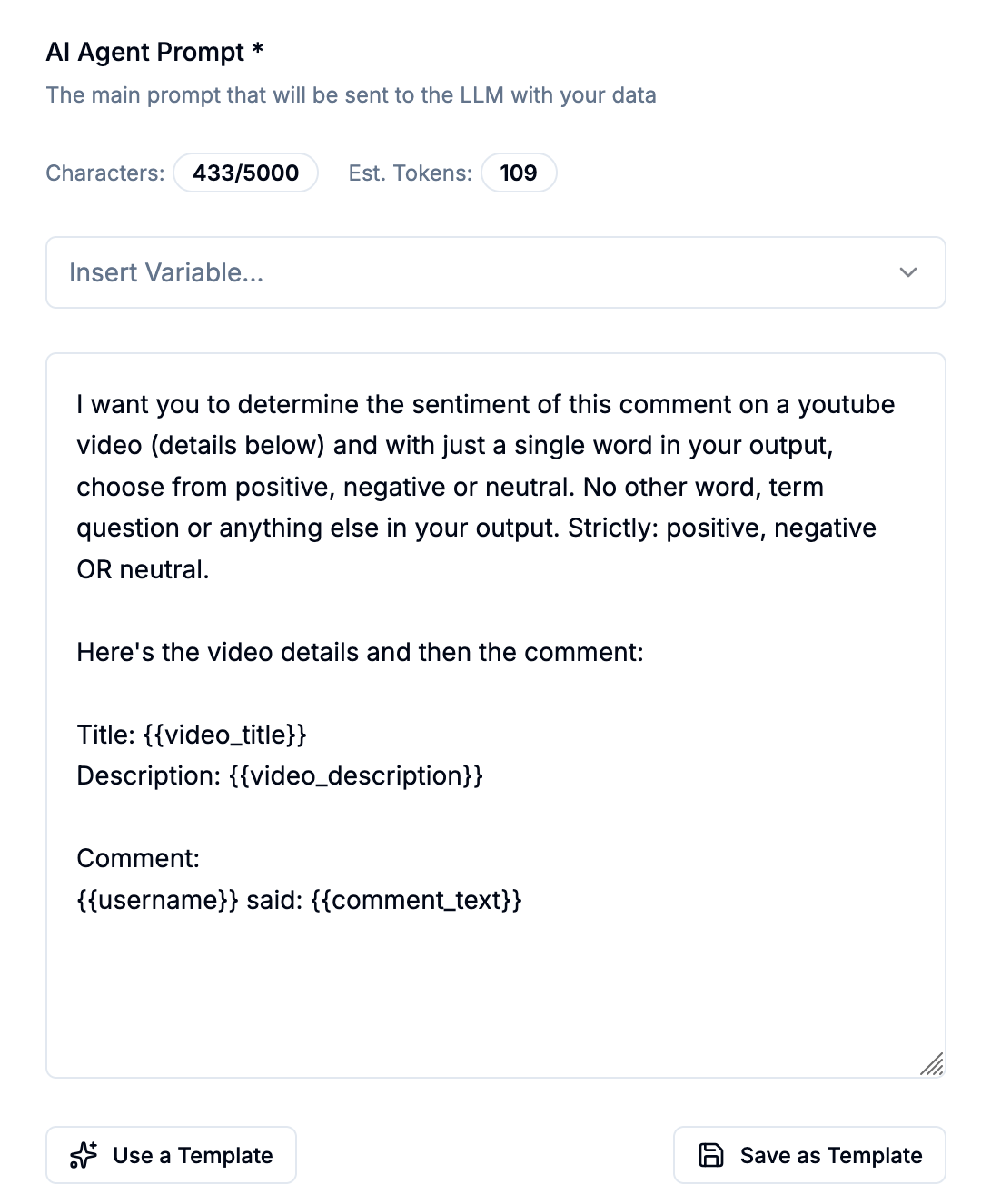
Goal: Read every comment on monitored videos, classify by intent type or sentiment, and route only the actionable ones to your team for organic engagement.
Setup:
Signal: Either keyword or channel monitoring, with comment capture enabled
Agent data target: YouTube Comments
Prompt output: A category label — BUYER QUESTION, SWITCHING SIGNAL, FEATURE GAP, GENERAL — OR POSITIVE, NEGATIVE OR NEUTRAL
Classification and routing:
💡 The engagement is always human. When the agent routes a BUYER QUESTION to your SDR, they go to YouTube and reply as themselves — a real, helpful, contextually relevant response. The agent found the needle. The human engages.
2. Brand Sentinel
Goal: Catch every video mentioning your brand across all of YouTube — including in transcripts you'd never find manually — and determine whether each mention is an opportunity, a reputation issue, or competitive context.
Setup:
Signal: Keyword monitoring using your brand name
Agent data target: YouTube Videos
Prompt output: POSITIVE, NEGATIVE, or COMPARISON
Routing:
3. Competitive Monitor
Goal: Subscribe to competitor channels. Extract positioning claims, feature announcements, and pricing signals from every transcript. Brief your Sales and Product teams before your reps have their next call.
Setup:
Signal: Channel monitoring pointing at competitor channels
Agent data target: YouTube Videos
Prompt output: A category + structured briefing
Routing:
4. Audience Intelligence
Goal: Discover which creators your ICP actually watches. Score channels by topic relevance and audience fit. Route the highest-value opportunities to Marketing for partnership and sponsorship decisions.
Setup:
Signal: Keyword monitoring for your category or ICP pain points
Agent data target: YouTube Videos
Prompt output: HIGH RELEVANCE, CATEGORY MENTION, or TREND SIGNAL
5. Market Trend Analyser
Goal: Monitor a continuous stream of category content across thought leaders and analysts. Identify emerging themes, shifting language patterns, and recurring pain points over time.
Setup:
Signal: Keyword monitoring for category terms, combined with channel monitoring of analyst/thought leader channels
Agent data target: YouTube Videos using
{{all_comments}}and{{transcript}}Prompt output: Structured trend report written to the Comments Summary field
Chaining video and comment agents
One of the most powerful YouTube setups chains a video-level agent to a comment-level agent using the {{ai_video_summary}} variable.
How it works:
Agent 1 (YouTube Videos): Reads the transcript and writes a concise summary to the Video Summary field
Agent 2 (YouTube Comments): Processes each comment using
{{ai_video_summary}}alongside{{comment_text}}— giving it full context about what the video covered when evaluating each comment
The comment agent's classifications become much more accurate when it knows what the video was about. A comment asking "does this work with HubSpot?" means something very different on a product demo video versus a general thought leadership piece.
See [agents6 — Chaining AI Agents] for full chaining setup instructions.
Setting up execution order
When you assign both a YouTube Videos agent and a YouTube Comments agent to the same Signal, set the video agent first in the execution order. This ensures summaries are written to the Video Summary field before the comment agent runs and tries to reference {{ai_video_summary}}.
Go to the Signal's Configure step → AI Agents block → use the up/down arrows to set order.