Capture social engagement from Signals
A Signal collects posts. From each post, you can choose to save people as enriched contacts — the post author, people who reacted (liked), and people who commented. Understanding this flow is the key to getting the most value from your Signals while keeping credit costs under control.
Written By Kevin Lawrie
Last updated 6 months ago
The capture flow
Every Signal starts by collecting posts. That's its primary job. But posts are just the raw material — the real value comes from the people behind them.
From each post your Signal finds, you can choose to capture:
The author — the person who wrote the post
Reactors — people who liked the post
Commenters — people who commented on the post
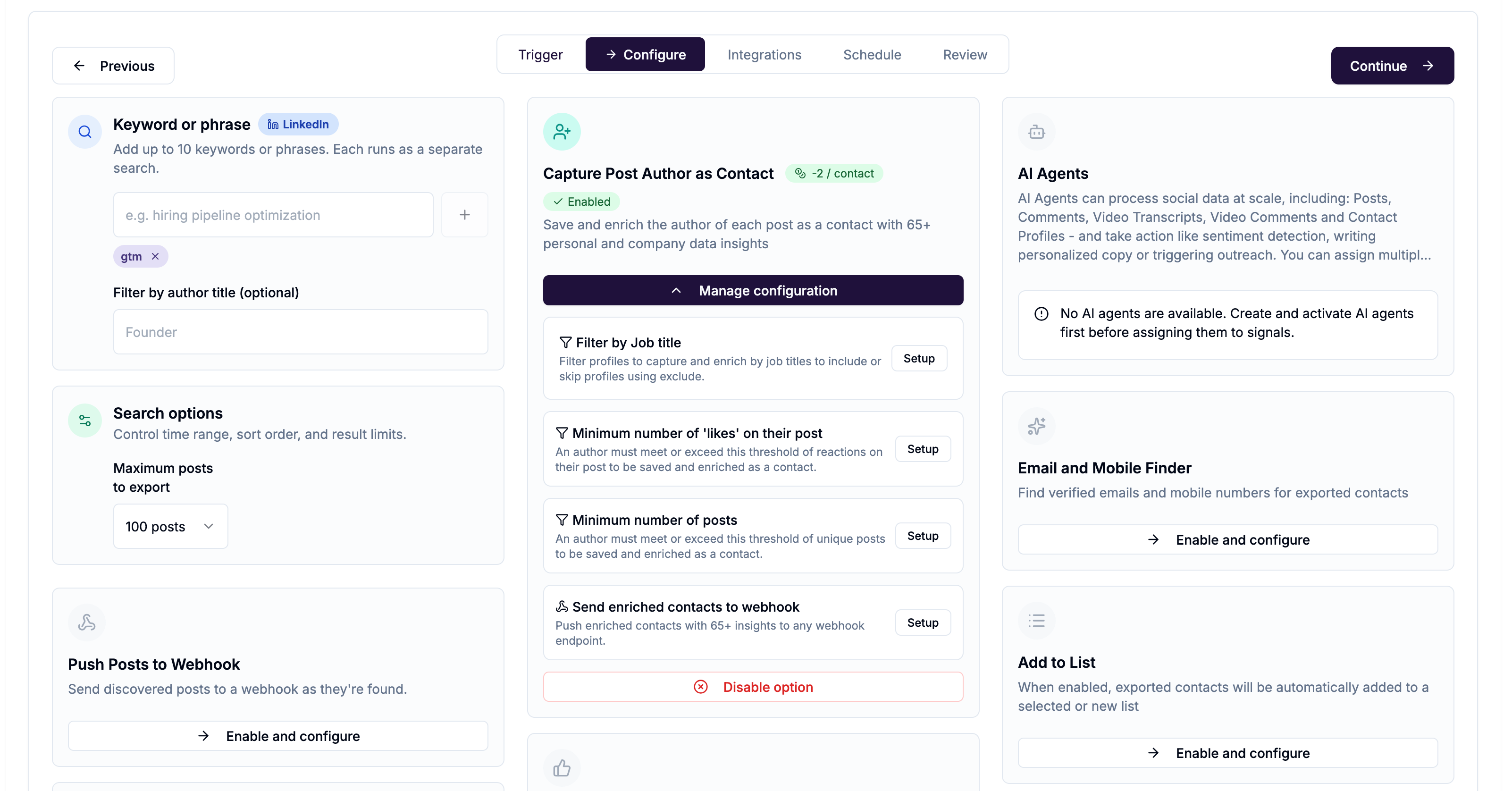
Each of these is configured separately in the Configure step when creating or editing a Signal.
What "saving as an enriched contact" means
Capturing someone as a raw reaction or comment only gives you basic profile information. Saving them as an enriched contact goes further — it takes that raw social data and builds a full contact record with 65+ personal and company data insights from their LinkedIn profile and company page.
This is what turns a list of names into actionable sales or marketing data.
Enriching a contact costs -2 credits per person.
The pre-enrichment gate — why filters save you money
This is the most important thing to understand about contact capture.
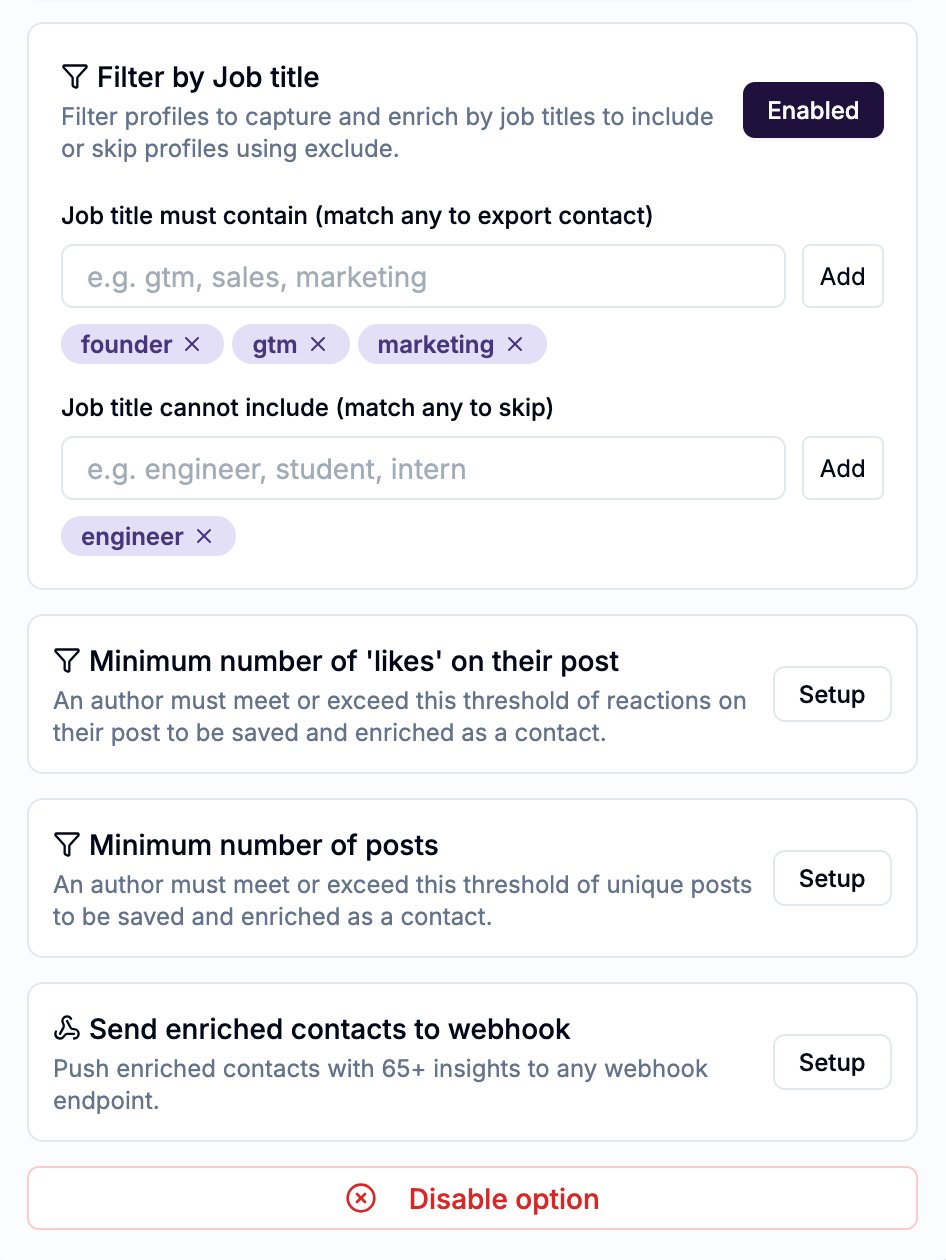
All filters — job title, employee filter, minimum likes, minimum posts — fire before enrichment happens. They act as a gate. If someone doesn't pass the filter, they are skipped entirely. No enrichment runs. No 2 credits are spent.
This matters because the cost of collecting raw engagement is very low compared to enrichment:
A Signal that captures 500 reactions and enriches all of them costs roughly 1,010 credits. The same Signal with a job title filter that passes only 40 relevant people costs roughly 90 credits. The filters are what bridge that gap.
The downstream flow
Once someone is saved as an enriched contact, additional options become available:
Email and Mobile Finder — find and verify contact details
Add to List — organise contacts into a named list
Integrations — push contacts to HubSpot, Attio, outreach sequences, and more
AI Agents — run AI processing on contact profiles
These options only activate after enrichment. They appear on the right side of the Configure step and on the Integrations step of the wizard.
Which capture options are available for each Signal type?
Not every Signal type supports every capture option. The key distinction is whether the Signal is discovering unknown people (where capturing them as contacts makes sense) or monitoring known targets (profiles) that your signal is targeting for new posts or job changes.
Why no author capture on Monitor for New Posts? When you're monitoring a profile or page for new posts, you already know who the author is — they're the target of your Signal. There's nothing to discover. Reaction and comment capture still apply because the people engaging with those posts are unknown to you.
Why no enrichment on Reddit and YouTube? Reddit and YouTube Signals don't support contact enrichment. The workflow for these signals is different — see below.
Reddit and YouTube — a different workflow
Reddit and YouTube Signals are not lead generation tools in the same way LinkedIn Signals are. Their purpose is to find the right conversations and comments so your team can engage organically.
Think of it as finding the needle in the haystack — scanning hundreds of posts or comments to surface the specific ones worth responding to. Your team then joins those conversations directly, in the platform, in a genuine and contextual way.
YouTube Signals do capture comments, but those comments cannot be enriched into contact records. The value is in the content of the comment itself — identifying which ones are worth a reply.
Reddit and YouTube each have their own dedicated articles covering this workflow in detail.
Where to configure this
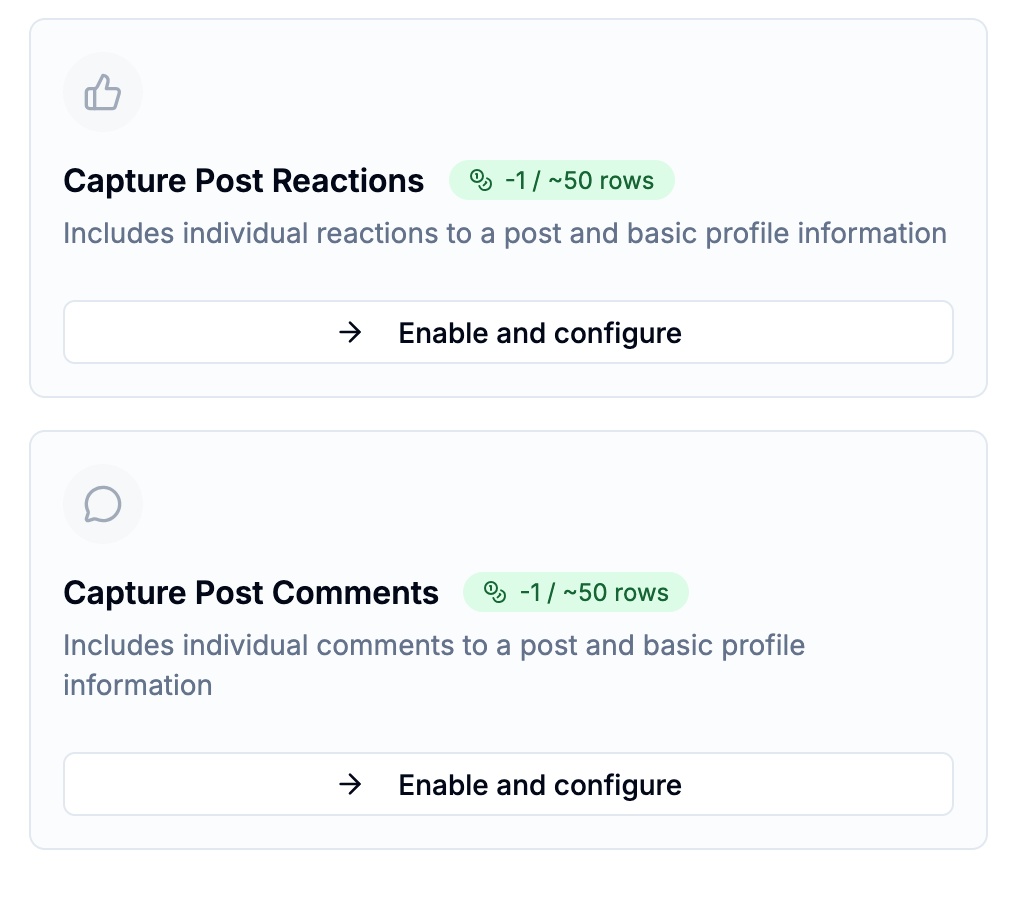
Open any Signal and go to the Configure step. The capture blocks — Capture Post Author as Contact, Capture Post Reactions, and Capture Post Comments — appear in the centre column. Click Enable and configure on any block to turn it on and set your filters.