Firmographics — defining your ICP for AI Agents
Firmographics is where you describe your ideal customer profile and product in plain language. Once saved, AI Agents can inject this description into any prompt using the {{firmographics}} variable — so you write your ICP definition once and reference it everywhere.
Written By Kevin Lawrie
Last updated 6 months ago
What firmographics does
When you build AI Agent prompts, you often need to explain who your ideal customer is — what industry they're in, what company size fits, what role they hold, what problem your product solves. Without firmographics, you'd paste this description into every prompt manually.
Firmographics solves this. Write your ICP and product description once in Settings, and any AI Agent prompt can pull it in with {{firmographics}}. Update it in one place and every agent that references it automatically uses the latest version.
Where to find it
Go to Settings → Firmographics (admin only).
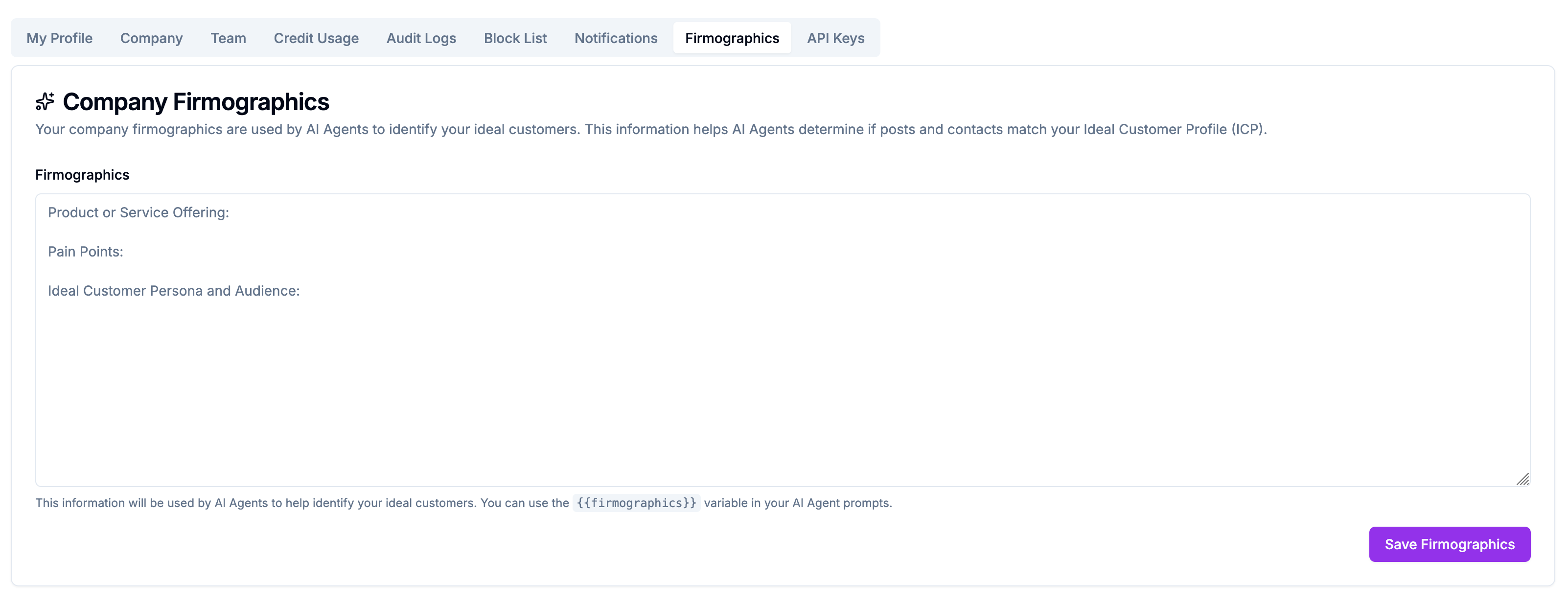
What to write
The firmographics field is free-form text. Write it the way you'd brief a new sales hire — clear, specific, and actionable.
A good firmographics description covers:
Your ICP (Ideal Customer Profile):
Company type and size (e.g. "B2B SaaS companies with 20–500 employees")
Industry or vertical (e.g. "Sales, RevOps, and Marketing teams")
Roles and seniority (e.g. "Decision-makers: VP Sales, Head of Growth, RevOps lead. Users: SDRs, AEs, marketing managers")
Geography if relevant
Signals that indicate fit (e.g. "companies actively hiring for sales roles", "companies that recently raised Series A or B")
Your product:
What it does in one or two sentences
The core problem it solves
What makes it different
Example:
Our ICP is B2B SaaS companies with 20–500 employees, primarily in the sales intelligence, revenue operations, or outbound sales space. Target roles include VP of Sales, Head of Growth, RevOps Manager, and SDR/AE teams. Companies that are scaling their outbound motion or investing in pipeline generation are strong fits. Series A to Series C stage preferred. Our product is a social signal monitoring platform. We help GTM teams track what their prospects and competitors are doing on LinkedIn and YouTube — capturing intent signals, monitoring job changes, and enriching contacts automatically. The core problem we solve is that buyers show intent publicly on social media but most CRMs never capture that signal. Using firmographics in AI Agent prompts
In any AI Agent prompt, type {{firmographics}} where you want the description injected:
You are a B2B sales qualification assistant. Review this contact and determine whether they match our ICP. {{firmographics}} Contact profile: Name: {{full_name}} Job title: {{job_title}} Company: {{company_name}} Industry: {{company_industry}} Company size: {{company_staff_count_range}} Reply TRUE if ICP match, FALSE if not. Single word only. At runtime, {{firmographics}} is replaced with your full ICP text — giving the model the context it needs to make accurate qualifications without you pasting it into every prompt.
Saving
Click Save to store your firmographics. Changes take effect immediately for any AI Agent run after saving.