Audit logs
The audit log is a complete, searchable record of everything that has happened in your account — every Signal run, credit usage event, AI Agent execution, webhook delivery, integration action, and API request.
Written By Kevin Lawrie
Last updated 6 months ago
What audit logs are for
Audit logs give you full visibility into account activity. Common reasons to check them:
Investigating unexpected credit consumption
Confirming a Signal ran and what it processed
Verifying that a webhook delivered successfully
Reviewing what an AI Agent did on a specific run
Checking which team member made a change
Providing a trail for compliance or account review purposes
Accessing audit logs
Go to Settings → Audit Logs.
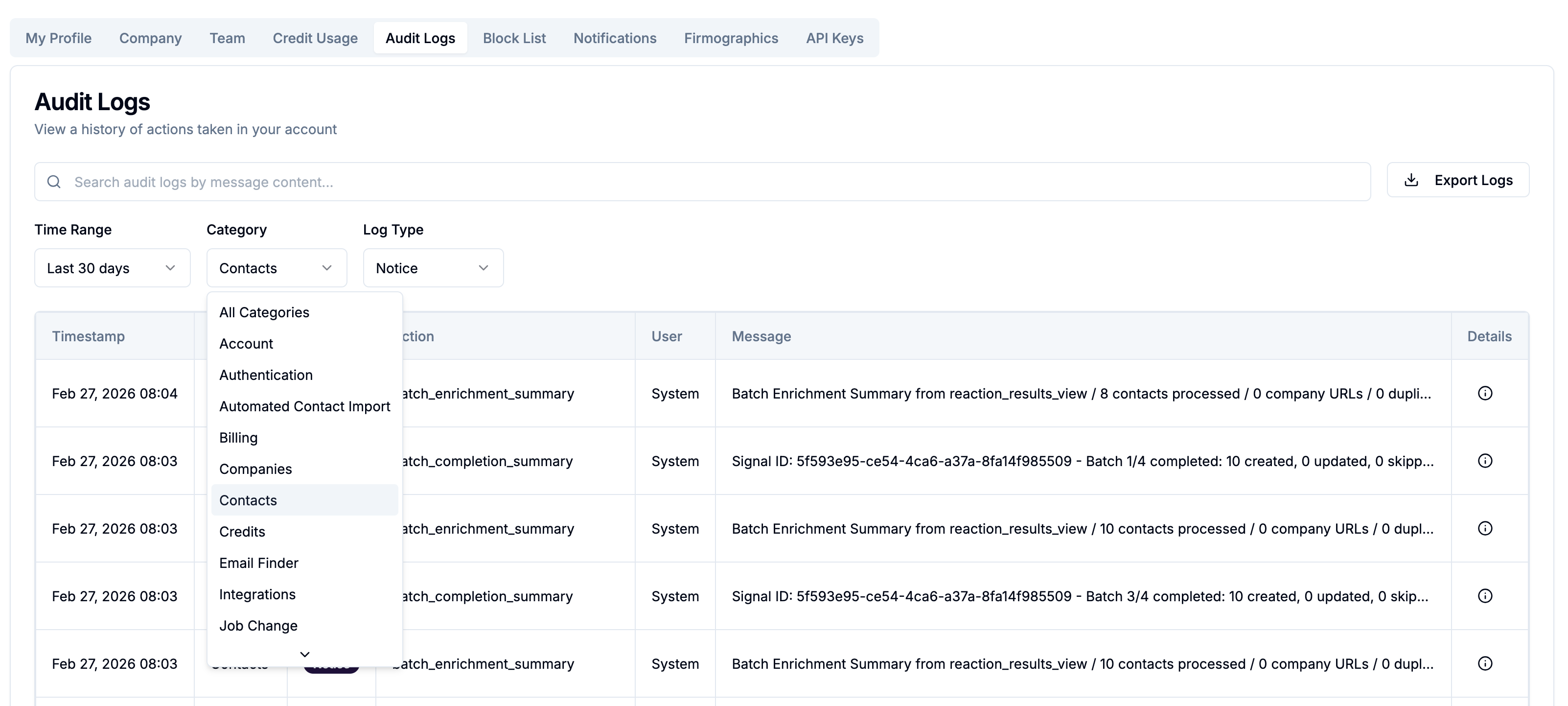
Filtering logs
By source / category
Use the Source filter to narrow by activity type:
By date range
Select from preset ranges or set a custom start and end date to focus on a specific period.
Search
Use the search bar to find specific entries by keyword — Signal name, contact name, integration, or any other text in the log.
What each log entry shows
Each entry includes:
Timestamp — when the event occurred (in your account timezone)
Category — the type of activity
Type — Notice, Warning, or Error
Actor — which user or system process triggered the event
Action / Details — what happened, including relevant metadata (Signal name, post URN, credits used, etc.)
Exporting logs
Click Export Logs to download the current filtered log view as a spreadsheet. Useful for sharing with your team, attaching to a support request, or maintaining your own records.
Log retention
Audit logs are retained and available in the app at all times. CRM integration activity logs (HubSpot and Attio) are automatically rotated every 30 days — this applies to the integration-specific logs, not the main audit log.