Chaining AI Agents
Chaining lets you pass the output of one agent directly into another, building multi-step workflows where each agent handles one focused task. The result is more reliable automation than trying to do everything in a single prompt.
Written By Kevin Lawrie
Last updated 6 months ago
What chaining is
When you chain agents, the output of Agent A triggers Agent B to run on the same item (or a contact created from it). Each agent in the chain has a single, well-defined job. Together they form a pipeline.
Why chain instead of doing it all in one agent?
Single agents that try to classify, generate, enrich, and route all at once tend to produce inconsistent outputs. Splitting responsibilities keeps each prompt focused and each output predictable.
Two types of chaining
1. Send to AI Agent (conditional action)
Available on all data target types. Add a conditional action of Send to AI Agent and select the target agent. The target agent must have the same data target as the current agent.
Example — Post qualification chain:
Agent 1 (Posts): "Does this post signal buyer intent? Reply TRUE or FALSE."
If
TRUE→ Send to Agent 2If
FALSE→ Discard
Agent 2 (Posts): "Write a one-sentence reason why this post signals buyer intent. Output the sentence only."
Basic action: Save output to custom field
intent_reasonConditional (Always): Save post author as enriched contact → Find email → Add to HubSpot
Agent 1 filters. Agent 2 enriches and generates context. Clean separation of concerns.
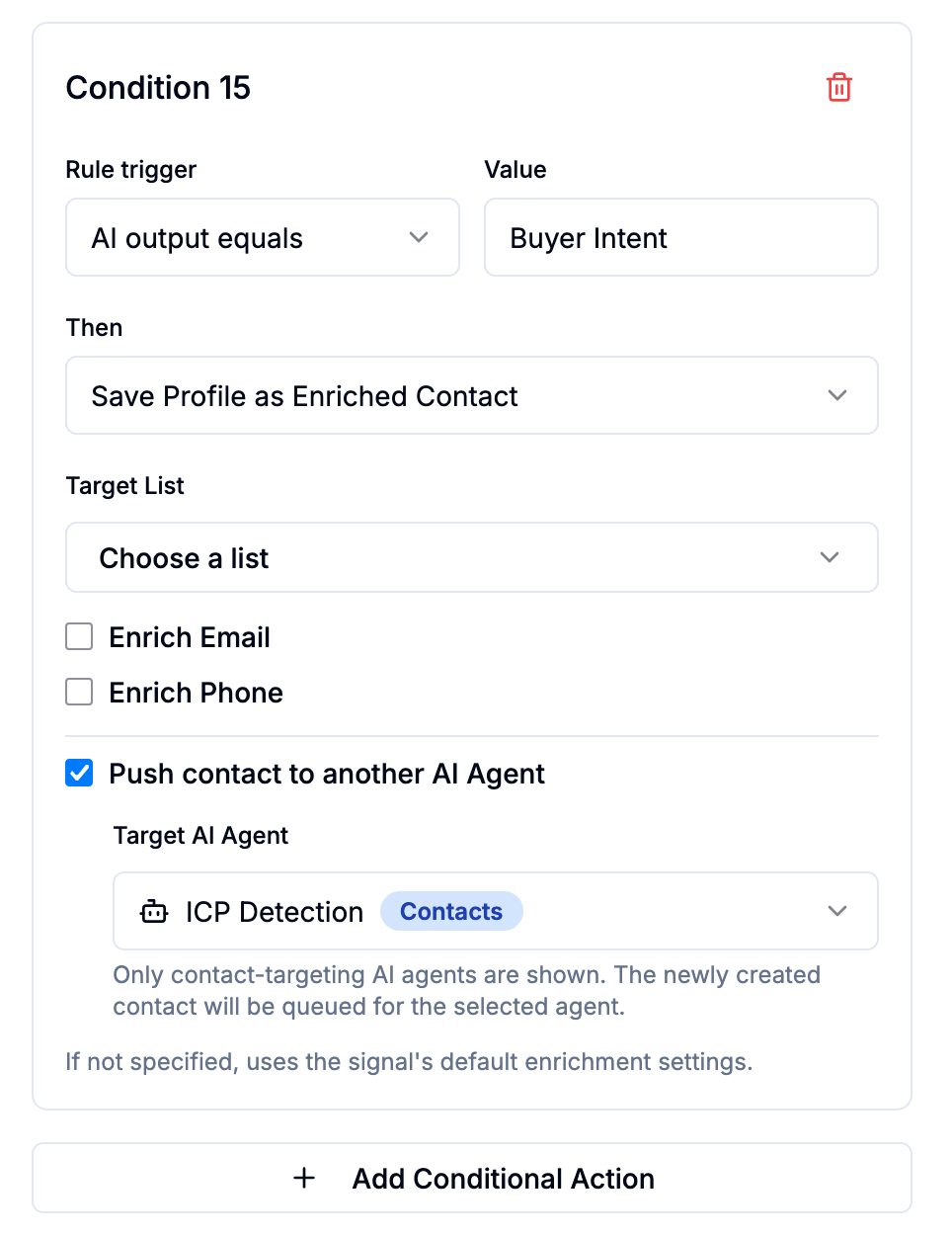
2. Push to AI Agent (Save Profile as Enriched Contact)
When a Posts or LinkedIn Comments agent saves someone as an enriched contact, you can immediately queue that new contact for a contact-targeting agent.
Enable Push to AI Agent inside the Save Profile as Enriched Contact action config, then select the contact agent to run next.
Example — Comment qualification into personalised outreach:
Agent 1 (LinkedIn Comments): "Does this commenter's message suggest they are actively evaluating outbound sales tools? Consider their comment text and job title. Reply TRUE or FALSE."
If
TRUE→ Save commenter as enriched contact → Find email → Push to Agent 2If
FALSE→ Skip
Agent 2 (Contacts): "Using their job title, company, and the post they commented on, write a one-line cold email opener. Output the sentence only."
Basic action: Update property →
ai_email_openerConditional (Always): Add to Instantly campaign
The commenter goes from a raw comment → qualified → enriched → personalised opener written → added to outreach sequence. Fully automated.
Chaining YouTube agents
YouTube agents support a special chaining variable: {{ai_video_summary}}
This variable contains the output of a previously run YouTube Videos agent on the parent video. It enables a natural two-step chain:
Agent 1 (YouTube Videos): Summarise the video content and extract key themes. Write to the Video Summary field.
Agent 2 (YouTube Comments): For each comment, use
{{ai_video_summary}}alongside{{comment_text}}to assess whether the commenter's question is worth responding to — with full context of what the video covered.
Agent 2 now has both the comment and a concise summary of the video, making its classifications far more accurate than reading the comment alone.
Rules for chaining
Same data target required for Send to AI Agent chains — a Posts agent can only chain to another Posts agent
The target agent must be active — inactive agents don't appear in the selector
No self-chaining — an agent cannot send to itself
No circular chains — Agent A → Agent B → Agent A is not supported
Execution order in Signals handles sequential chaining automatically when agents are assigned in order — use Send to AI Agent for conditional branching within a run