Prompt examples and templates
Ready-to-use prompts for each data target. Copy, paste, and adapt to your ICP. Every example follows the same principle: simple, predictable output that drives reliable conditional rules.
Written By Kevin Lawrie
Last updated 6 months ago
How to use these examples
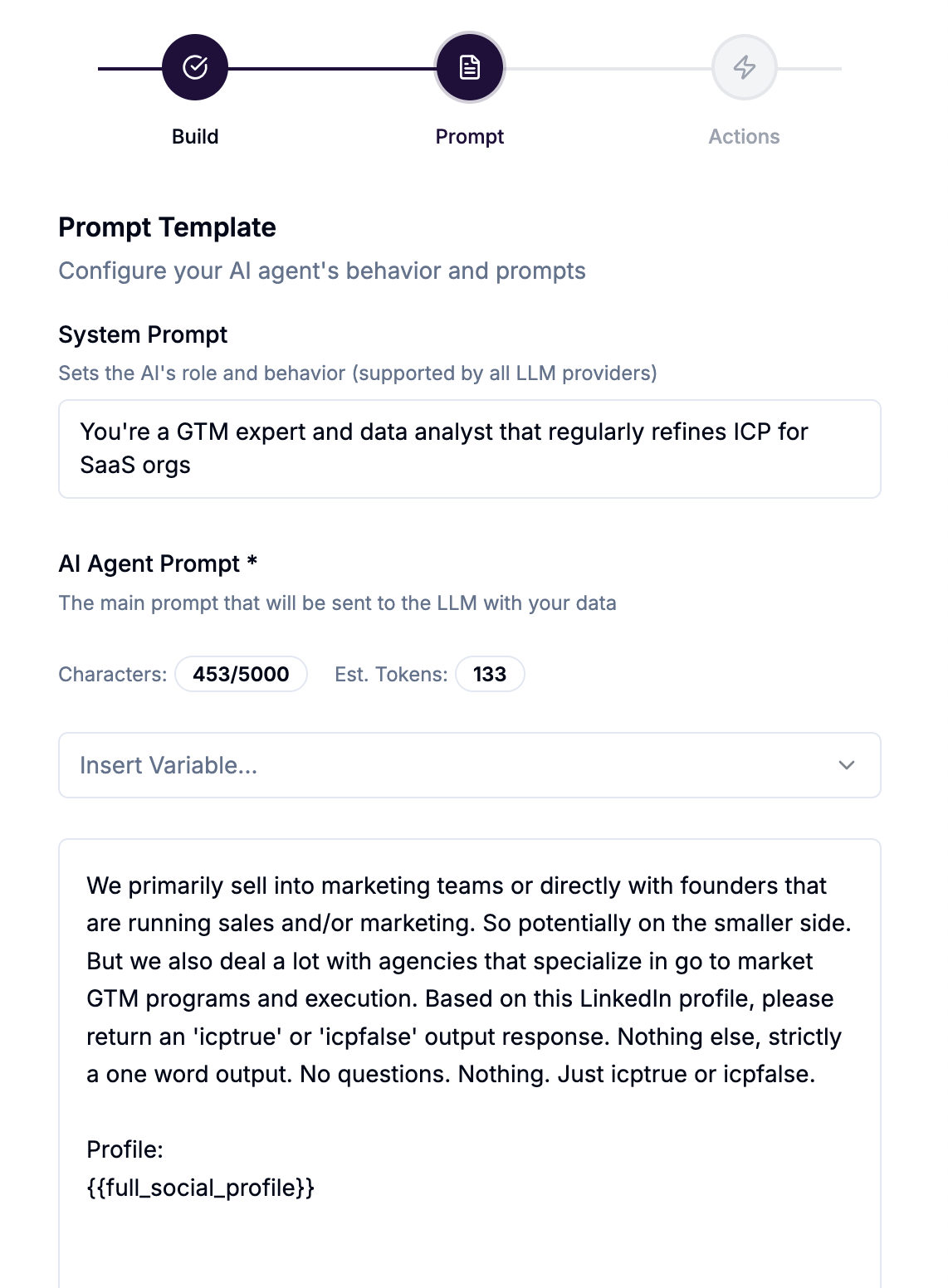
Copy the prompt into the Prompt Template field in Step 2 of the AI Agent wizard
Replace placeholder text (shown in brackets) with your specific criteria
In Advanced LLM Settings, set Temperature to 0.1–0.3 for any classification prompt
Set Max Response Tokens to 50 for TRUE/FALSE prompts — the response needs almost no tokens
Build your conditional rules to match the output labels exactly
Contacts — ICP Verifier
What it does: Qualifies enriched contacts against your ICP before spending credits on email finding, mobile finding, or outreach campaign enrollment. The 2-credit enrichment cost is already spent at this stage — this agent protects against the downstream costs: 1 credit per email found, 10 credits per mobile number, and the deliverability damage that comes from enrolling irrelevant contacts into your outreach campaigns.
Recommended output: TRUE or FALSE
You are a B2B sales qualification assistant. Review this contact's profile and determine whether they match our ideal customer profile. {{firmographics}} Contact profile: Name: {{full_name}} Job title: {{job_title}} Company: {{company_name}} Industry: {{company_industry}} Company size: {{company_staff_count_range}} Location: {{location_full}} Bio: {{bio_summary}} Reply with TRUE if this contact matches our ICP, or FALSE if they do not. Output the single word only. No explanation. Conditional rules:
If output equals
TRUE→ Enrich email → Add to [campaign]If output equals
FALSE→ Skip
Contacts — Cold Email Opener Generator
What it does: Reads a contact's profile and recent post activity to write a personalised one-liner for cold outreach. Output is saved to a custom property and synced to your outreach tool as a variable tag.
Recommended output: A single sentence (generative)
You are an expert B2B copywriter specialising in cold outreach. Write a single opening sentence for a cold email to this person. The sentence should feel genuine and reference something specific — their recent post, their bio, or something notable about their role or company. Keep it under 20 words. Do not mention our product. Do not use generic openers. Their recent post: {{originating_post_text}} Their bio: {{bio_summary}} Their role: {{job_title}} at {{company_name}} Output only the opening sentence. Nothing else. Basic action:
Update Data Property →
ai_email_opener(Text)
Map ai_email_opener as a variable in your Instantly, Smartlead, or Leadfwd email template.
Posts — Buyer Intent Detector
What it does: Reads each post collected by a keyword or hashtag Signal and determines whether the author is showing buying intent. Irrelevant posts are discarded before their reactions and comments are processed.
Recommended output: TRUE or FALSE
You are a B2B sales intelligence analyst. Read this LinkedIn post and determine whether the author is showing active buying intent — evaluating tools, asking for recommendations, describing a pain point they are actively trying to solve, or signalling they are in a purchasing or evaluation process. Post content: {{text}} Author headline: {{headline}} Reply with TRUE if the post signals buyer intent. Reply with FALSE if it does not. Output the single word only. Conditional rules:
If output equals
TRUE→ Save post author as enriched contact → Find email → Add to [campaign]If output equals
FALSE→ Discard & Skip Engagement Exports
Posts — Relevance Filter
What it does: Filters out off-topic posts from a keyword Signal before any enrichment or engagement export occurs. Saves significant credits on noisy keyword Signals.
Recommended output: RELEVANT or NOISE
You are a content relevance classifier. This post was collected by a signal monitoring the topic: [your topic here]. Read the post and determine whether it is genuinely about this topic and would be relevant to a [your role] at a B2B SaaS company. Post: {{text}} Reply with RELEVANT if the post is on-topic and valuable. Reply with NOISE if it is off-topic, promotional spam, or not relevant. Output the single word only. Conditional rules:
If output equals
NOISE→ Discard & Skip Engagement ExportsIf output equals
RELEVANT→ (no action needed — post is kept and processed normally)
LinkedIn Comments — Buyer Intent from Comment
What it does: Reads each comment on monitored posts and identifies commenters who are showing buying intent based on what they actually said. Only those commenters are enriched as contacts.
Recommended output: TRUE or FALSE
You are a B2B sales intelligence analyst. Read this LinkedIn comment and the post it was left on. Determine whether the commenter is showing active buying intent — evaluating tools, asking for recommendations, describing a problem they are trying to solve, or signalling they are in a purchasing process. Consider both what they said AND their job title. Comment: {{comment_text}} Commenter job title: {{job_title}} Parent post: {{post_content}} Reply with TRUE if this commenter signals buyer intent. Reply with FALSE if they do not. Output the single word only. Conditional rules:
If output equals
TRUE→ Save profile as enriched contact → Find email → Add to [campaign]If output equals
FALSE→ Skip
LinkedIn Comments — Comment Categoriser
What it does: Categorises every comment section into actionable themes. High-intent comments trigger immediate Slack alerts. Noise is silently skipped.
Recommended output: Category label
You are a comment classification assistant. Read this LinkedIn comment and classify it into exactly one of these categories: BUYER INTENT — person is evaluating tools, asking for recommendations, or describing a purchasing decision COMPETITOR FRUSTRATION — person is complaining about a competitor product PRODUCT QUESTION — person is asking a question about a product category POSITIVE EXPERIENCE — person is sharing a success story or recommendation NOISE — generic reaction, off-topic, or no actionable signal Comment: {{comment_text}} Post context: {{post_content}} Output the category label only. No explanation. Conditional rules:
If output equals
BUYER INTENT→ Slack alert to sales channel + Save as enriched contactIf output equals
COMPETITOR FRUSTRATION→ Slack alert to sales channelIf output equals
PRODUCT QUESTION→ Email digest to teamIf output equals
NOISE→ Skip
Contacts — Full Profile ICP Scorer (using {{full_social_profile}})
What it does: Uses the {{full_social_profile}} variable to inject every available data field from the contact's LinkedIn profile in one block — personal, company, education, funding data, and more — without manually listing individual variables. Best for nuanced analysis where full context produces better results.
Recommended output: TRUE or FALSE
You are a B2B sales qualification assistant. Review this LinkedIn profile in full and determine whether this person matches our ideal customer profile. {{firmographics}} Full profile: {{full_social_profile}} Reply with TRUE if this is an ICP match, or FALSE if not. Output the single word only. No explanation. 💡 When to use {{full_social_profile}} vs individual variables: Use {{full_social_profile}} when you want the model to have complete context — funding stage, education, career history, company details — and you're not sure which fields will be most relevant. Use individual variables when you want to keep the prompt tight, reduce token usage, or control exactly what the model sees.
YouTube Videos — Comment Theme Analyser (using {{all_comments}})
What it does: Uses the {{all_comments}} variable to inject every saved comment from a video into a single agent run — producing an aggregate summary of themes, sentiment, and signals across the entire comment section. This is a video-level agent (not per-comment), so it runs once per video and analyses the full picture.
Recommended output: A structured summary (generative, saved to field)
You are a B2B market intelligence analyst. Below is the full comment section from a YouTube video on a topic relevant to our business. Analyse ALL comments as an aggregate and produce a brief structured report covering: 1. Dominant themes (top 3, with rough % of comments) 2. Overall sentiment (Positive / Mixed / Negative with %) 3. Buying signals — any comments indicating evaluation, switching intent, or active purchasing behaviour 4. Competitive mentions — any tools, products, or companies mentioned 5. One-sentence summary of the most actionable insight Video title: {{video_title}} Comments: {{all_comments}} Output only the structured report. No preamble. Basic action:
Write Output to Field → Comments Summary
⚠️ Note: {{all_comments}} injects every saved comment for the video, which can be large. Set Max Response Tokens higher than usual (2,000–4,000) to allow a complete output. For very active videos with hundreds of comments, consider using a model with a large context window.
YouTube Videos — Content Summariser (using {{transcript}})
What it does: Reads the transcript of each video collected by a YouTube Signal and writes a concise summary. The summary is stored on the video record. When you also run a YouTube Comments agent on the same Signal, that agent can reference this summary via {{ai_video_summary}} — which injects the previously generated output from this agent, giving the comment agent full context of what the video covered.
Recommended output: A short paragraph (generative, saved to field)
You are a content analyst specialising in B2B topics. Read this YouTube video transcript and write a concise 3–5 sentence summary. Focus on: the main topic, key points made, and any mentions of tools, products, pain points, or buying signals. Video title: {{video_title}} Transcript: {{transcript}} Output only the summary. No preamble or labels. Basic action:
Write Output to Field → Video Summary
YouTube Comments — Signal Finder (using {{ai_video_summary}})
What it does: Processes each individual comment alongside the previously generated video summary, identifying which commenters are worth engaging with organically. The {{ai_video_summary}} variable contains the output saved by a YouTube Videos agent that ran earlier on the same Signal — giving this agent context about the video without re-processing the full transcript for every comment.
⚠️ Prerequisite: This prompt requires a YouTube Videos agent (like the Content Summariser above) to have already run on the same Signal and written its output to the Video Summary field. Without that prior run, {{ai_video_summary}} will be empty.
Recommended output: ENGAGE or SKIP
You are a community engagement analyst. Read this YouTube comment in the context of the video summary below. Determine whether this comment represents a genuine opportunity to engage — the person is asking a relevant question, expressing a pain point, or discussing a topic where a thoughtful reply from our team would be valuable. Video summary (previously generated): {{ai_video_summary}} Comment: {{comment_text}} Commenter: {{username}} Reply with ENGAGE if this comment is worth a response from our team. Reply with SKIP if it is not. Output the single word only. Conditional rules:
If output equals
ENGAGE→ Slack alert to community channelIf output equals
SKIP→ Skip